
Language : English | 中文
HyperCRX


HyperCRX (pronounced: 'Hai-puh CRX') project aims at tracing, digging and gaining insight into the projects and developers you're interested in. We do this by inserting useful dashboards into GitHub pages. HyperCRX provides an effective way for digital operations and analysis of open source community.
Install
 Click here to install Chrome extension
 Click here to install Edge extension
For more information please refer to Installation Guide.
Datasource
HyperCRX consumes data that is generated by OpenDigger, which is an "open-source" project that focuses on open source analysis. The data should be updated in the 2nd day of every month.
Dashboards 🔥🔥🔥
You can find these dashboards in:
| Entrance 1: GitHub User's Profile Page | Entrance 2: GitHub Repository Page |
|---|---|

|


|
Project Related
| Project Correlation Network | Developer Collaboration Network within Project | Project Activity & OpenRank Trend |
|---|---|---|

|

|
 |
| Repo Details (hover triggered) | ||

|
||
-
Project Correlation Network: Project Correlation Network shows the correlation between projects for a given time period. From this graph you can find the projects that are related to the given project.
-
Developer Collaboration Network within project: Developer Collaboration Network within project shows the collaboration between active developers within the project for a given time period. From this graph you can find the active developers in the given project. What's more, you can find the collaborative relationships between these developers.
-
Project Activity & OpenRank Trend: The Project Activity and OpenRank Trend chart presents how the two metrics have evolved since 2015. In the chart, you can zoom and drag using your mouse or touchpad, and you can toggle either of the data by clicking the legend buttons as well.
-
Repo Details: Trends of Activity, OpenRank, Participants, Fork Events, Star Events, Open Issue Events, Issue Comment Events, Open PR Events, PR Merge Events, Review Comment Events, Merged Addition & Deletion Code Lines.
Developer Related
| Developer Collaboration Network | Developer's Most Participated Repos | Developer's Activity & OpenRank Trend |
|---|---|---|

|

|
 |
- Developer Collaboration Network: Developer Collaboration Network shows the collaboration between developers for a given time period. From this graph you can find other developers who are closest to a given developer.
- Developer's Most Participated Repos: Developer's Most Participated Repos shows the active projects of developers in a given time period. From this graph you can find out the most active repositories for a given developer.
- Developer's Activity & OpenRank Trend:The Developer Activity and OpenRank Trend chart presents how the two metrics have evolved since 2015. In the chart, you can zoom and drag using your mouse or touchpad, and you can toggle either of the data by clicking the legend buttons as well.
OSS-GPT
OSS-GPT is an open source project document answering robot integrated with DocsGPT capabilities. For an already supported project, simply open the corresponding project repository home page and ask any questions you have about that repository. You can get OSS-GPT support for your open source projects through issue#609.

Contributing
Please read CONTRIBUTING if you are new here or not familiar with the basic rules of Git/GitHub world.
Requirements
-
node >= 20
-
yarn
Quickstart
-
cd hypertrons-crx
-
yarn install
-
yarn run start
-
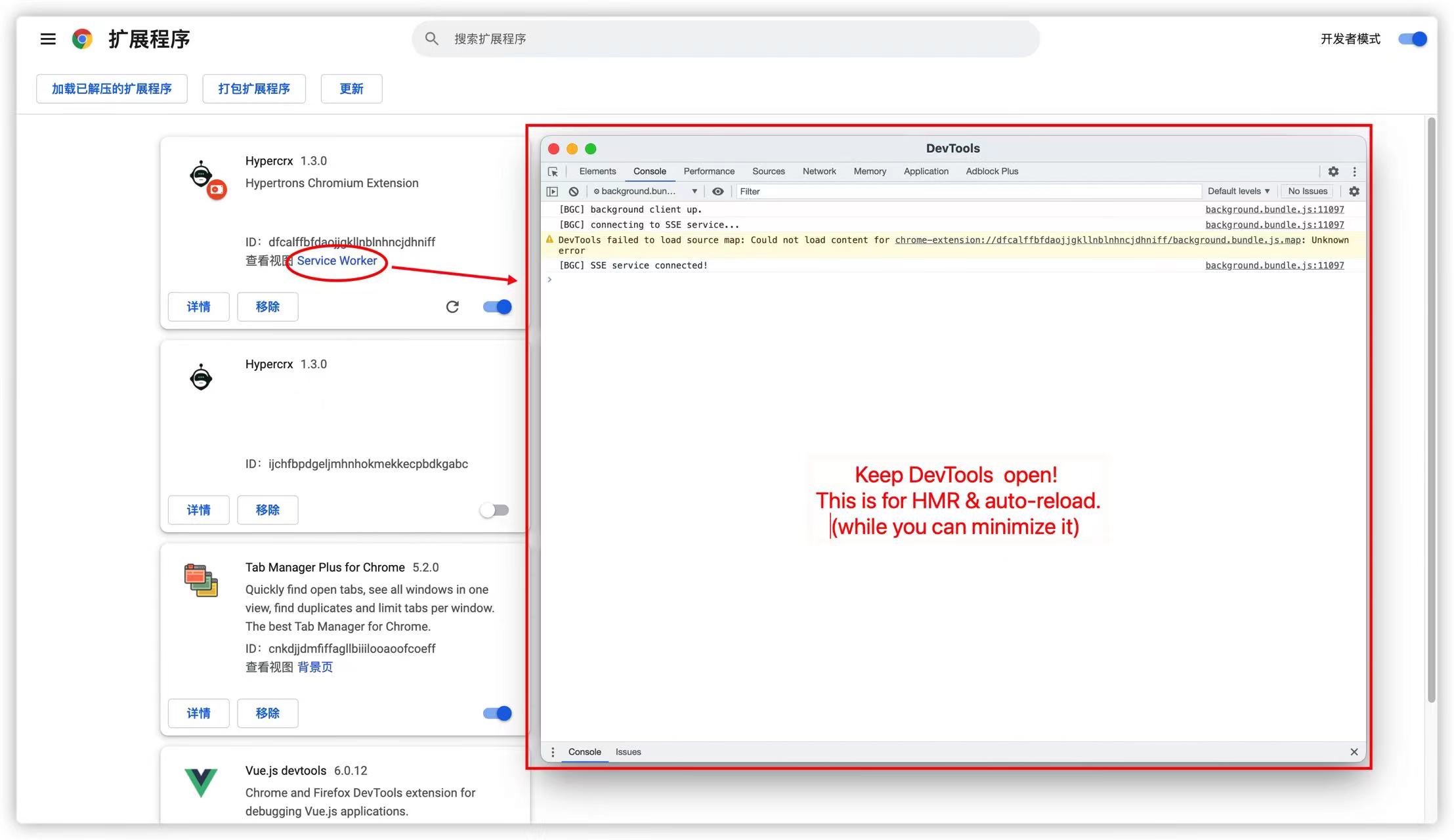
Load the freshly built unpacked extension on Chrome following:
-
Access chrome://extensions/
-
Check "Developer mode"
-
Click on "Load unpacked extension"
-
Select the "build" folder under the project root directory
-
Keep "service worker" DevTools page open (why?)
-
-
Happy hacking!
HMR & auto-reload
If you are developing Options page or Popup page, each time you save files the pages will hot replace the modules without refreshing, which means you can see the changes right away.
However, if you are developing Background or ContentScripts, each time you save files the service worker will reload the extension automatically. And if you are developing ContentScripts, then pages that injected with ContentScripts will refresh themselves to run the newest scripts.
Q&A
Any type of contribution is welcome, you can submit Issue to report bugs or ask question.
For more information please refer to Contributing Guide.
Message us on Slack.


