
EntityFramework Reverse POCO Code First Generator
This generator creates code like an expert reverse-engineered your database and created the code for you. Perfectly.
Reverse engineers an existing database and generates Entity Framework Code First Poco classes, Configuration mappings, Enumerations, DbContext, FakeDbContext (for easy unit testing) and calling Stored procedures and table-valued functions.
Beautifully generated code first code that is fully customisable
- Downloadable VSIX installer from the visual studio gallery.
- Watch the v2 in-depth course at pluralsight
 I cover everything the v2 generator can do, and show you step-by-step how to reverse engineer your database properly.
Please note that this is not the Microsoft reverse generator. This generator creates code as if you reverse-engineered a database and lovingly created the code by hand. It also allows you to customise the generated code to your liking.
Give a Star! :star:
If you like or are using this project, please give it a star. Thanks!
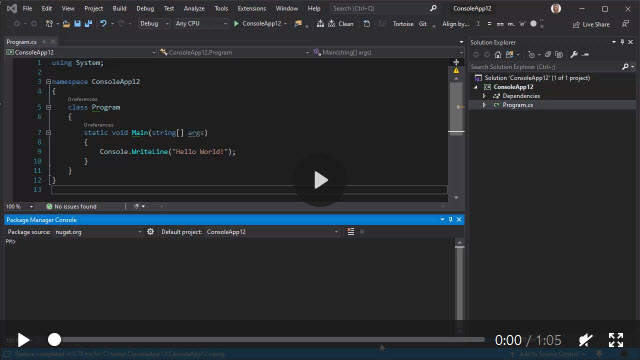
Watch a short video clip (no audio)
To remove trial limitations, you will require a licence key.
Free to academics (you need a .edu, .ac or .sch email address), not free for commercial use.
Go to the ReversePOCO website for your licence key.
Upgrading v2 to v3
Please read the Upgrading documentation
What's new
Click here to see what's new in this release.
Supported databases
- SQL Server
- SQL Server Compact 3.5 and 4.0
- PostgreSQL
- Coming soon: Oracle, MySQL
Highly customisable output
This generator is designed to be customisable from the very beginning and not fixed and rigid like other generators.
Play with the settings in the <database>.tt file. That's what it's there for.
If your database changes, re-save the <database>.tt file. That's it.
Click here to see a full list of features.
To install and use this project:
-
Use Nuget and install the relevant NuGet package for your database.
- .Net Core:
install-package Microsoft.EntityFrameworkCore.SqlServer - EF 6:
install-package EntityFramework
- .Net Core:
-
Settings.ConnectionStringis mandatory in v3, so you need to provide the connection string from your app.config/web.config/appsettings.json file. The generator uses this connection string to reverse-engineer your database. It no longer reads your connection strings from *.config files.For example:
Settings.ConnectionString = "Data Source=(local);Initial Catalog=Northwind;Integrated Security=True;Encrypt=false;TrustServerCertificate=true";
-
The
Settings.ConnectionStringstring you use must have at least these privileges:ddladmin,datareaderanddatawriter.ddladminis required for reading the default constraints. -
In Visual Studio, right click project and select "add - new item".
-
Select Online, and search for reverse poco.
-
Select EntityFramework Reverse POCO Generator.
-
Give the file a name, such as
Database.ttand click Add. -
Edit the
Database.ttfile and specify the full connection string inSettings.ConnectionString. The generater uses this to read your database schema and reverse engineer it. -
Edit the
Database.ttfile and specify the connection string inSettings.ConnectionStringNamewhich matches the ConnectionString key as specified in yourappsettings.json,app.configorweb.config. -
Save the
Database.ttfile, which will now generate theDatabase.csfile. Every time you save yourDatabase.ttfile, the generator will reverse engineer your database. -
There are many options you can use to customise the generated code. All of these settings are in the
Database.ttfiles.
Connection strings
Settings.ConnectionString is mandatory in version 3. The generator uses it to read your database schema. The connection string is optionally placed into the OnConfiguring function:
protected override void OnConfiguring(DbContextOptionsBuilder optionsBuilder){{#newline}}
{{{#newline}}
    if (!optionsBuilder.IsConfigured){{#newline}}
    {{{#newline}}
        optionsBuilder.UseSqlServer(@""{{ConnectionString}}"");{{#newline}}
    }{{#newline}}
}{{#newline}}{{#newline}}
Settings.ConnectionStringName This is not used by the generator but is placed into the generated DbContext constructor via a call to Settings.DefaultConstructorArgument.
public {{DbContextName}}(){{#newline}}
{{#if HasDefaultConstructorArgument}}
    : base({{DefaultConstructorArgument}}){{#newline}}
{{/if}}
UI
A simple UI for the generator is available at GitHub, which helps you to create a regex to filter your tables.
Editing TT (T4) Files
To have full syntax highlighting and intellisense when editing TT files, I use the Resharper plugin ForTea. I can't imagine editing TT files without it.
No need to edit the EF.Reverse.POCO.v3.ttinclude file directly as this file is generated from a C# project. This repository includes the BuildTT file that creates the EF.Reverse.POCO.v3.ttinclude from the Generator C# project.
Getting a pull request accepted
Have a read of [https://github.com/blog/1943-how-to-write-the-perfect-pull-request](How to write the perfect pull request)
My requirements are simple:
- Always keep the changes to a minimum, so I can see exactly what's changed regarding the pull request. I.e. No whitespace tidy-up, Etc.
- No tabs, only spaces (4).
- Edit the Generator C# project. Running this project will create the
EF.Reverse.POCO.v3.ttincludefile. This repository includes theBuildTTproject that creates theEF.Reverse.POCO.v3.ttincludefrom theGeneratorC# project. - Don't be tempted to do a few different enhancements in one pull request. Have one pull request for one bug fix/enhancement.
Regards, Simon Hughes


