











Yocto Lens — BitBake Linter & Static Analysis Tool
yocto-lens is a lightning-fast, terminal-based Static Code Analysis, Style Review, and Recipe Health Auditing engine built specifically for Yocto Project and OpenEmbedded layers.
As an advanced BitBake linter, Yocto Lens helps embedded Linux developers proactively identify security vulnerabilities, maintainability regressions, layer dependency bottlenecks, patch quality concerns, and metadata style violations before they break your CI/CD pipelines or target hardware builds.
Key Targets Scanned:
- BitBake Recipes & Appends:
.bband.bbappendconfiguration files - Patch Modifications:
.patchand upstream diff structures - Layer Definitions:
conf/layer.confboundaries
Designed for absolute portability: Yocto Lens acts as a standalone utility working seamlessly across any workspace layout. It does not depend on KAS configurations, massive Docker containers, repo manifests, or specific environmental variables.
Key Framework Features
⚠️ Note:
yocto-lensis under active development. Expect rapid feature expansion, performance scaling, and frequent updates.
🛡️ Static Analysis & Security Auditing
Our core static analysis rules evaluate structural correctness, security configurations, build reproducibility, and system integration risks.
- Vulnerability Scans: Detects floating
SRCREV, high-riskAUTOREVusage, and insecureSRC_URIprotocols (e.g., unencrypted HTTP). - Secrets Detection: Scans metadata lines for hardcoded credentials, API tokens, and credentials.
- Path Sanitation: Flags host-specific absolute filesystem paths leaking into compilation contexts.
- Orphan Asset Identification: Automatically finds dangling
.bbappendconfigurations missing baseline targets. - Layer Layer Validation: Evaluates structural problems like duplicate recipe definitions across overlapping layers.
- Dependency Analysis: Maps missing
LAYERSERIES_COMPATdeclarations, missingBBFILE_COLLECTIONS, isolated layer instances, and cyclic layer dependency faults. - License Compliance: Identifies absent
LICENSEorLIC_FILES_CHKSUMentries, highlights explicit GPLv3 package inclusions, and surfaces customCLOSEDlicense tracking warnings.
🎨 Metadata Style & Syntax Review
Ensure your code complies with OpenEmbedded syntax guidelines to enforce high readability and automated review hygiene.
- Descriptive Validation: Finds variables lacking essential
SUMMARYorDESCRIPTIONdocumentation fields. - Formatting Controls: Enforces rigid variable assignment ordering rules, line length restrictions, and strips trailing whitespaces.
- Syntax Optimization: Migrates and flags legacy syntax strings such as the outdated overrides notation (
_append,_prepend,_remove). - Conventions Compliance: Checks recipe file names against canonical naming rules and verifies compliance of internal patch metadata headers.
🩺 Upstream Patch Quality Auditor
- Upstream Standards: Verifies mandatory
Upstream-Statusconfigurations and authenticatesSigned-off-bydeveloper signatures. - Structure Audits: Isolates invalid contextual diff blocks, strips accidental structural secrets, and confirms CVE validation criteria.
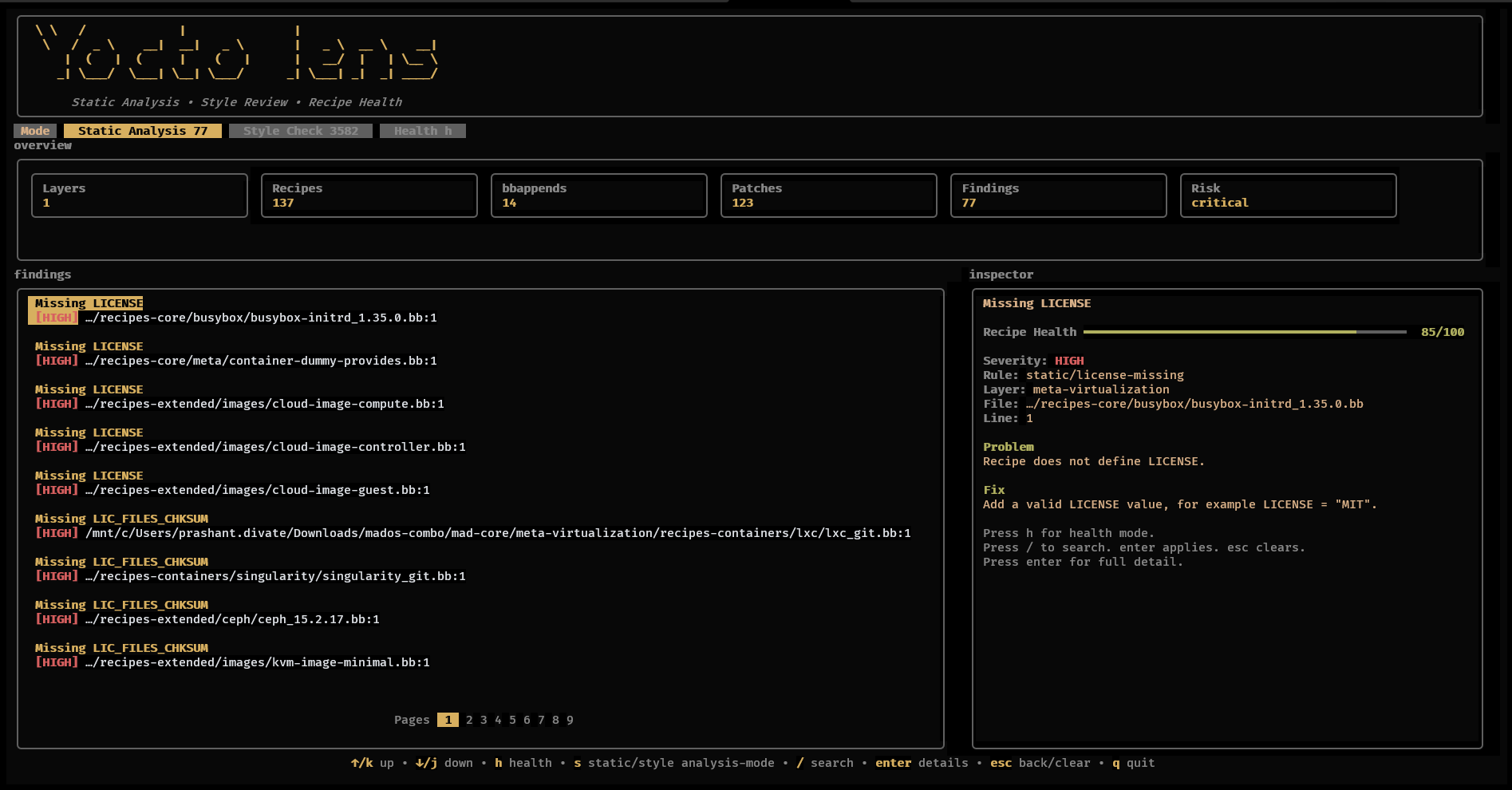
💻 Interactive Terminal UI (TUI) Dashboard
- Switch instantly between dedicated Static Analysis, Style Check, and Recipe Health execution tabs.
- Real-time calculation engine computing granular health scores and population leaderboards.
- Features a high-fidelity inline Inspector Panel, deep-dive detail views, and lightning-fast search filters.
- Fully supports raw console telemetry data output pipelines via JSON and SARIF formatting exports.
📸 Screenshots & Visual Interface
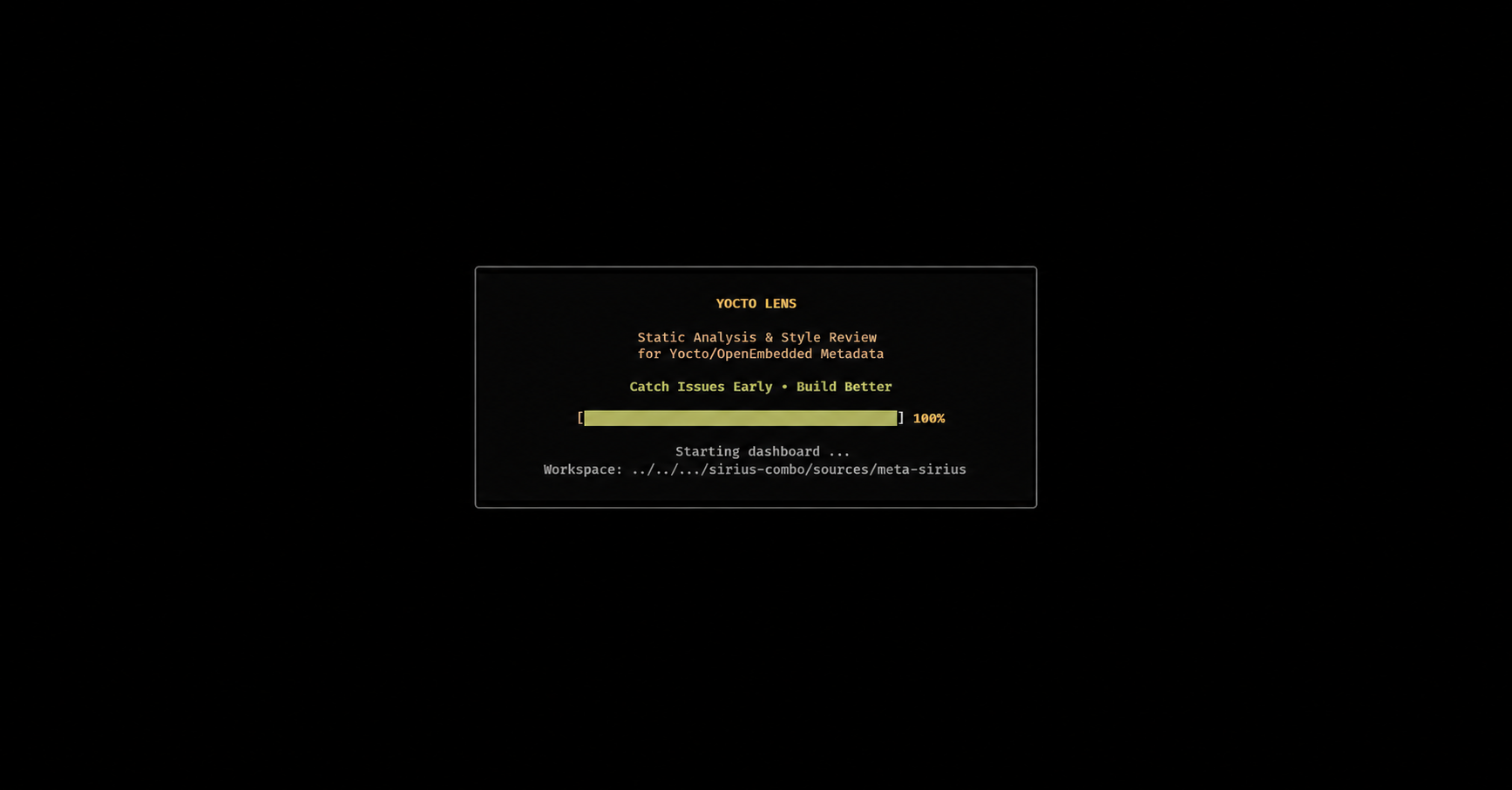
TUI Launch Interface
Main Analytics Dashboard
Installation & Getting Started
Navigate to the Yocto Lens Releases Page and download the optimized binary tailored for your workstation operating system.
Linux / macOS Environment Setup:
chmod +x yocto-lens
./yocto-lens <path_to_yocto_layer>
Windows PowerShell Execution:
.\yocto-lens.exe <path_to_yocto_layer>
CLI Usage Reference
Standard Workspace Scanning:
To scan a target project root folder recursively, supply the explicit workspace destination:
yocto-lens <path_to_yocto_layer>
Multiple Layer Inspection:
Evaluate cross-layer dependencies or naming anomalies simultaneously by declaring multiple arguments:
yocto-lens meta-custom meta-product meta-security
Headless CI/CD Pipeline Automation:
Execute analytical evaluations without starting the interactive terminal layout layer:
yocto-lens --no-tui /path/to/meta-custom
Fail a CI job when findings meet or exceed a severity threshold:
yocto-lens --no-tui --fail-on high /path/to/meta-custom
Performance Profiling:
Print phase timings for large workspace scans:
yocto-lens --profile /path/to/meta-openembedded
Isolated Scope Telemetry Checks:
# Target only structural vulnerabilities and security flags
yocto-lens --no-tui --mode static /path/to/meta-custom

# Enforce code styling standards exclusively
yocto-lens --no-tui --mode style /path/to/meta-custom
Exporting Structured Reports:
# Generate comprehensive JSON formats for internal reporting
yocto-lens <path_to_yocto_layer> --json report.json

# Produce industry-standard SARIF data for GitHub Security Code Scanning integration
yocto-lens <path_to_yocto_layer> --sarif report.sarif

# Produce a human-readable Markdown report for PR artifacts or review notes
yocto-lens <path_to_yocto_layer> --markdown report.md
Project Configuration:
Place .yocto-lens.json or yocto-lens.json in the scan root to tune CI behavior without changing source code:
{
  "target_release": "scarthgap",
  "exclude": [
    "recipes-test/**",
    "**/testdata/**"
  ],
  "disabled_rules": [
    "style/*"
  ],
  "severity": {
    "static/license-closed": "HIGH"
  }
}
Inline suppressions are also supported for intentional exceptions:
# yocto-lens-disable-next-line static/license-closed
LICENSE = "CLOSED"
AI Agent Support:
This repository includes guidance for both Codex and Claude Code agents:
AGENTS.mdprovides Codex-compatible project instructions.CLAUDE.mdprovides Claude Code-compatible project instructions.docs/AI_AGENTS.mdcontains the shared Yocto Lens agent skill guide, including official Yocto/BitBake documentation links, rule-writing workflow, false-positive reduction guidance, performance workflow, and verification expectations.- For deeper optional Yocto agent workflows, see the companion skill collection: awesome-yocto-ai-agent-skills.
Keyboard Shortcuts
| Shortcut Key | Triggered Navigation Action |
|---|---|
↑ / ↓ |
Navigate active metadata findings sequentially |
Enter |
Expand the deep-dive diagnostic inspector panel view |
Esc |
Return safely to the preceding dashboard menu grid |
/ |
Initialize inline global fuzzy text filtering pattern |
s / Tab |
Pivot application context between static analysis and styling diagnostics |
h |
Launch the overarching Recipe Health Score leaderboard matrix |
q |
Immediately terminate the interactive TUI application safely |
Dynamic Fuzzy Search Filtering
Type / directly during a runtime session to execute live queries across all generated reports. The searching mechanics query properties including:
- Rule ID & String Contexts
- Severity Classifications (
HIGH,WARN,INFO) - Category Classifications & Exact Filenames
- Target Directory Strings, Layers, and Diagnostic Messages
# Search Query Examples:
license
autorev
bbappend
patch
secret
style
HIGH
srcuri
🛠️ Compilation & Building From Source
Prerequisites:
Ensure your development machine has Go (Golang) version 1.22+ successfully configured.
# Clone the repository
git clone https://github.com/prashantdivate/yocto-lens.git
cd yocto-lens

# Compile localized architecture release structures
go build -o yocto-lens ./cmd/yocto-lens
🛠 Build From Source
git clone https://github.com/prashantdivate/yocto-lens.git

cd yocto-lens

go build -o yocto-lens ./cmd/yocto-lens
Run:
./yocto-lens /path/to/meta-custom
Real World Usage
Yocto Lens is already being used to automate metadata quality checks in Yocto BSP development workflows.
| Project | Usage |
|---|---|
| Dynamic Devices BSP | CI validation and metadata quality checks |
Usage In CI
Yocto Lens is already being integrated into automated Yocto validation pipelines.
Example:
- Dynamic Devices BSP Layer
CI Integration Script:
https://github.com/DynamicDevices/meta-dynamicdevices-bsp/blob/main/scripts/yocto-lens-ci.sh
CI Example
./yocto-lens --no-tui --mode static --json yocto-lens.json --sarif yocto-lens.sarif .
🤝 Community Contributions
Community feature inquiries, architectural bug tracking reports, and open GitHub Pull Requests are highly encouraged.
If Yocto Lens reduces your code review overhead or hardens your build environments, please consider dropping a project ⭐!
📄 Licensing Rights
This system is licensed entirely under the MIT Open Source License.


