
Markdown New Tab




Take down notes 🗒️, save reminders ⏰, paste links 🔗, create checklists ☑️ or tables, all using markdown... directly in your 'New Tab' page! Markdown New Tab is a replacement for the default 'New Tab' page on Google Chrome 🆕 🎉.
Preview it!
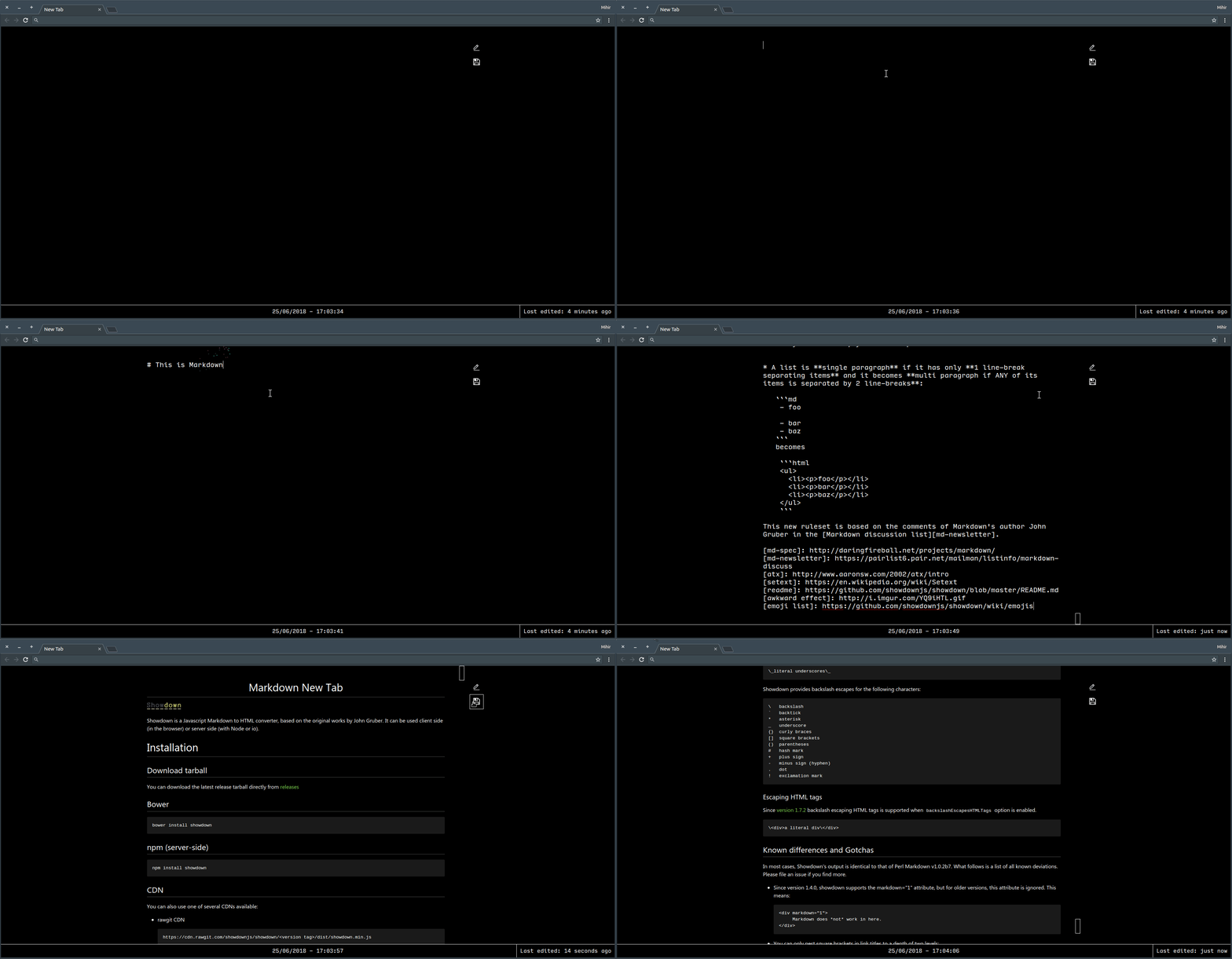
Install
- Chrome extension

- Firefox add-on

- Opera extension: Use this Opera extension to install the Chrome version.
About
Markdown New Tab is a replacement for the default Google Chrome new tab page. Refer to this brilliant guide to get familiar with the markdown syntax.
Features
-
Take down
stylednotes 🗒️, create checklists ☑️, links 🔗, tables and reminders ⏰, add images 🖼️ (and all other frills associated with markdown [M↓]) -
⏰ 💾 Automatically saves (and deletes) revision history for you to look back and reminisce
-
⌨️ Use keyboard shortcuts to toggle between edit and save the notes
-
💪 💪 ACTIVATE POWERMODE! (enable in settings)
-
Sync notes, revision history and settings between all Chrome browsers you are logged into
Upcoming
-
Change background and foreground colours
-
Split editing to show live preview
Usage
-
You can edit and save the notes either by pressing the buttons on the top right, or by using the shortcuts Ctrl + X (or Cmd + X on Mac) to edit the text and Ctrl + S (or Cmd + S on Mac) to save the text.
-
To save and edit the notes by using Ctrl + ↵ (or Cmd + ↵ on Mac), go to settings and enable it.
-
Revision history can be accessed by clicking "Last Edited: ____" on the bottom right corner.
Development
- Clone this repo:
$ git clone https://github.com/plibither8/markdown-new-tab
- Open Chrome and go to
chrome://extensions - Enable 'Developer Mode' by checking the tickbox (on the top of the page).
- Click the 'Load Unpacked Extension' button and select the
dist/folder of the cloned repository. - The extension should be loaded now and the 'New Tab' page should be Markdown New Tab. 🎉
The code makes use of
localStorage()to save the raw text, revision history, last edited time and date, settings and last cursor position.
Testing in Firefox
In Firefox the extension can be installed temporarily until you restart the browser. To do so:
- enter
about:debuggingin the URL bar - click "Load Temporary Add-on"
- open the extension's directory in your local repo and select
dist/manifest.json
More info here.
Donate
Markdown New Tab was made by me during my study-breaks and free time. If you like and have enjoyed it, please consider donating a small amount (any amount will be really appreciated!) to support and sustain its development. Thank you!



Thanks
- Browserstack: This project is tested with Browserstack
License
Copyright (c) Mihir Chaturvedi. All rights reserved.
Licensed under the MIT License.


