
Short Pipe




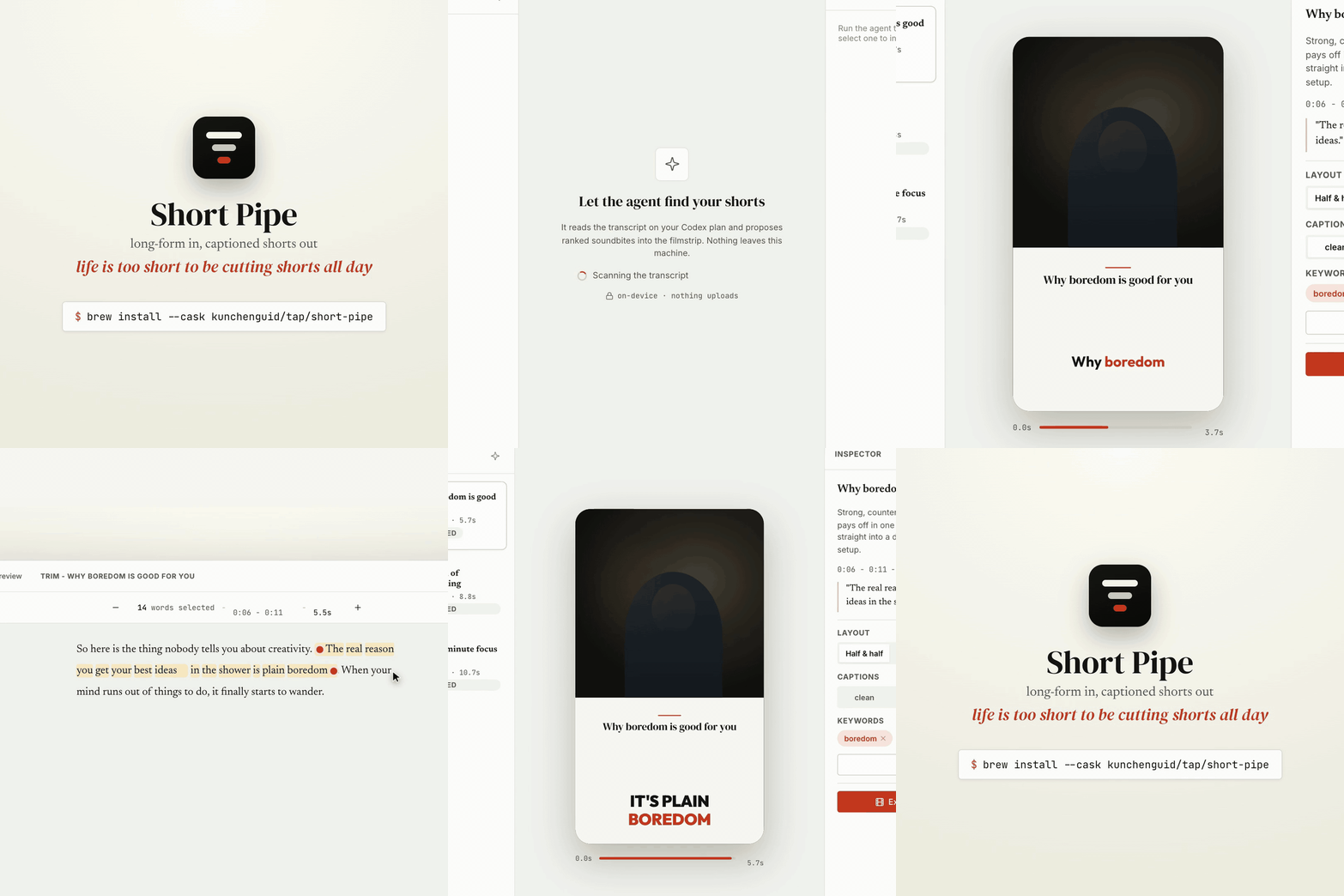
Short Pipe is a local-first desktop app that turns a long-form video into captioned vertical shorts. You point it at a long-form file, it transcribes locally, an agent proposes soundbites, you review and edit, and it renders 1080x1920 captioned clips - all on your machine. The agent runs on your own Codex subscription, so there is no inference cost and nothing leaves your computer except the Codex API calls.
Install
On macOS, via Homebrew:
brew install --cask kunchenguid/tap/short-pipe
open -a "Short Pipe"
Update an existing install:
brew update && brew upgrade --cask short-pipe
Short Pipe also surfaces an Update button in its top bar when a newer release is published, with the same brew command one click away.
The on-device pipeline still needs FFmpeg (including FFprobe) and the HyperFrames CLI on PATH (see Requirements).
How it works
- Pick a long-form video. It stays on disk.
- Transcribe with local Whisper (via HyperFrames), producing word-level timestamps.
- Candidates - choose how many shorts to find and a rough target length (
~15s,~30s,~45s,~60s,~90s,~120s, orNo cap), then the agent reads the transcript and proposes ranked soundbites following the bundledshorts-from-longformskill. The count defaults to roughly one short per minute of source video, the length defaults to~60s, andNo caplets the agent decide where each self-contained short is strongest. After the first batch, use Add one more short in the filmstrip to give the agent a focused prompt and target length, then append exactly one new candidate without replacing the queue. - Review and edit - approve, select the word range, fine-tune exact in/out points on the waveform, and swap layouts and caption styles in the editor. Use the topbar gear to set defaults for new shorts, re-check local tools, and disconnect Codex: output folder, target length, layout, theme, and caption style.
- Render - HyperFrames (headless Chrome + ffmpeg) renders each approved short locally to 1080x1920, with the Export or Re-export button filling left to right as progress streams back.
- Output - shorts are written to the default output folder, or to the project's own
output/folder when no default is set.
Requirements
- macOS (Apple Silicon or Intel). Short Pipe is macOS-only for now - there are no Windows or Linux builds.
- Node 20+ and pnpm.
- FFmpeg on
PATH, including bothffmpegandffprobe. Install withbrew install ffmpegor use the FFmpeg download guide. - The HyperFrames CLI on
PATH(used for local Whisper transcription and rendering). Install withnpm install -g hyperframesor see the HyperFrames repository. On first use it downloads a Whisper model and a headless Chrome. - A Codex (ChatGPT) subscription to sign in to.
The connect screen and Settings both show an On-device tools checklist for FFmpeg and HyperFrames, including detected versions, install commands, and setup links.
The checklist re-runs when the app window regains focus after you install a tool, and you can also use Re-check manually.
When you sign in, Short Pipe stores Codex OAuth tokens in plaintext at ~/.short-pipe/auth/codex.json with owner-only file permissions (0600), matching the Codex CLI storage model and avoiding macOS Keychain prompts from Electron safe storage.
Older encrypted auth files are migrated to that plaintext file the first time Short Pipe can decrypt them, which may cause one final Keychain prompt.
Use Disconnect Codex in Settings to remove the local token file, sign out on this machine, and return to the connect screen.
Develop
pnpm install
pnpm dev          # launch the app with hot reload
pnpm test         # unit + integration tests
pnpm typecheck    # tsc across main, preload, renderer
pnpm lint         # biome
pnpm build        # bundle all three electron targets
pnpm verify:asar  # verify packaged runtime deps after electron-builder output exists
pnpm package:mac  # build, verify, and ad-hoc-sign a universal "Short Pipe Dev.app"
pnpm dist:mac     # package:mac, then wrap it in a universal .dmg
Local package:mac/dist:mac builds use electron-builder.dev.yml, so they produce a Short Pipe Dev.app (bundle id com.shortpipe.app.dev) that will not collide with an installed release copy.
The packaged app is verified with scripts/verify-asar-deps.mjs before signing so missing pnpm transitive dependencies fail locally instead of shipping a crashing asar.
The agent's editorial logic lives in skills/shorts-from-longform/SKILL.md, authored in this repo and bundled into the packaged app.
End-to-end tests
The on-device pipeline tests (real Whisper + real HyperFrames render) are gated behind SP_E2E=1 and expect a test asset at /tmp/sp-asset/source.mp4.
Generate one with any narrated clip, then:
SP_E2E=1 pnpm test
A headless boot check is available too:
SP_SMOKE=1 SHORT_PIPE_USER_DATA_DIR=/tmp/sp-smoke npx electron .
# prints: SP_SMOKE_OK bridge=true authed=false
Releases
Releases are automated with release-please.
Conventional commits (feat:, fix:, feat!:) on main open a release PR; merging it tags the release, builds and verifies a universal macOS DMG, attaches it to the GitHub Release, and updates the kunchenguid/homebrew-tap cask.
See CONTRIBUTING.md for the contributor workflow and the maintainer secrets/variables the release job needs.
Telemetry
Packaged release builds send anonymous, best-effort usage events (app start, transcribe, render) to a self-hosted Umami instance - no account, no device id, and never any video, transcript, or prompt content.
It is a no-op in source/dev builds, and you can turn it off in a packaged build with SHORT_PIPE_TELEMETRY=0.
Status
This is an MVP. The core pipeline (pick → transcribe → propose → review/trim → render) works end-to-end on-device. Distribution is wired up: universal macOS DMG built, verified, and published via the Homebrew cask on every release, with an in-app update indicator. Builds are currently ad-hoc signed (not Developer ID signed or notarized), so first launch needs a right-click → Open.
License
MIT.


