



DelphiLint is an IDE package for RAD Studio that provides on-the-fly code analysis and linting, powered by SonarDelphi.
Features
- Brings SonarDelphi, a static analyzer for Delphi with 100+ code analysis rules, to the Delphi IDE
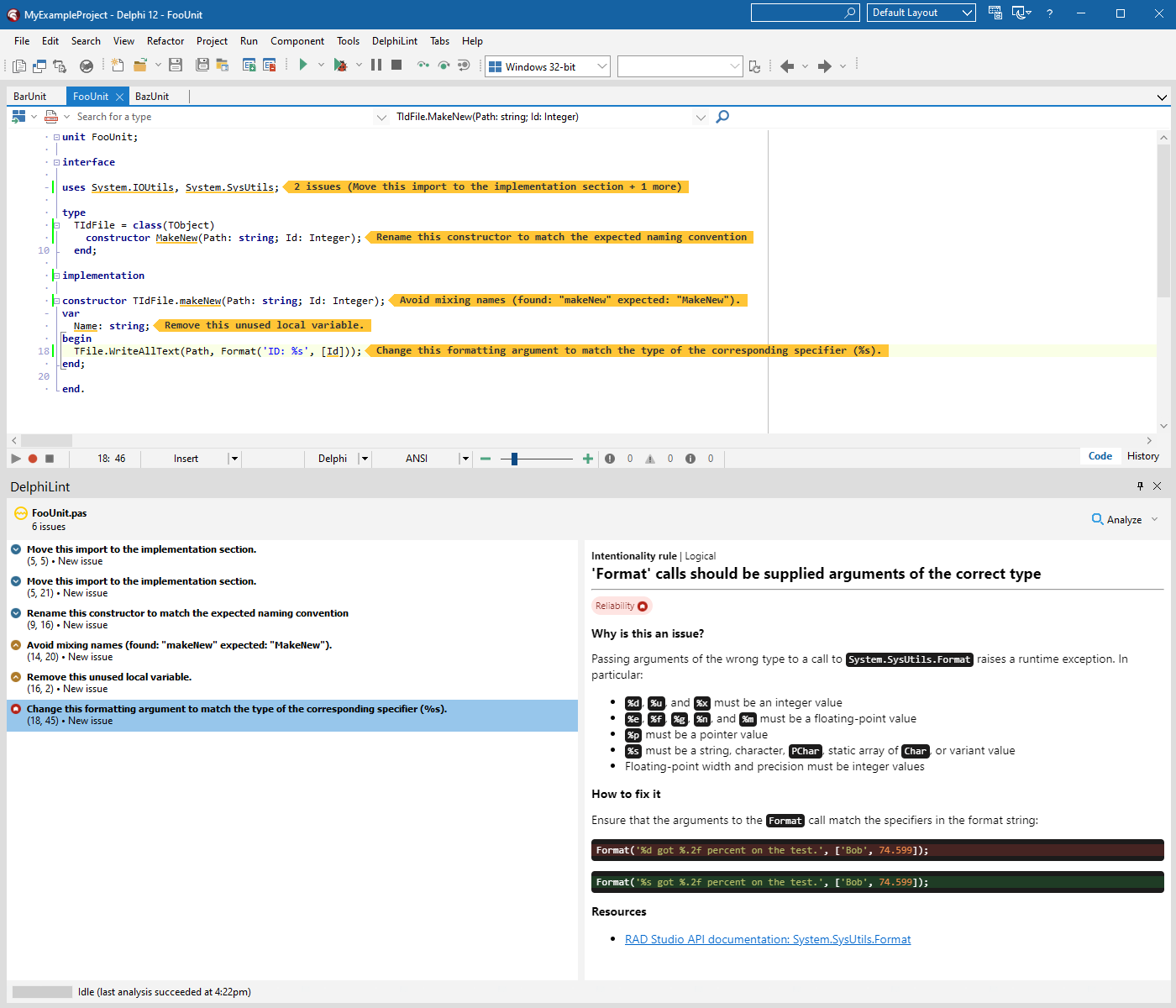
- Analyze one or more files on-the-fly, shortening the feedback loop so you can pick up and fix problems before they're even checked in
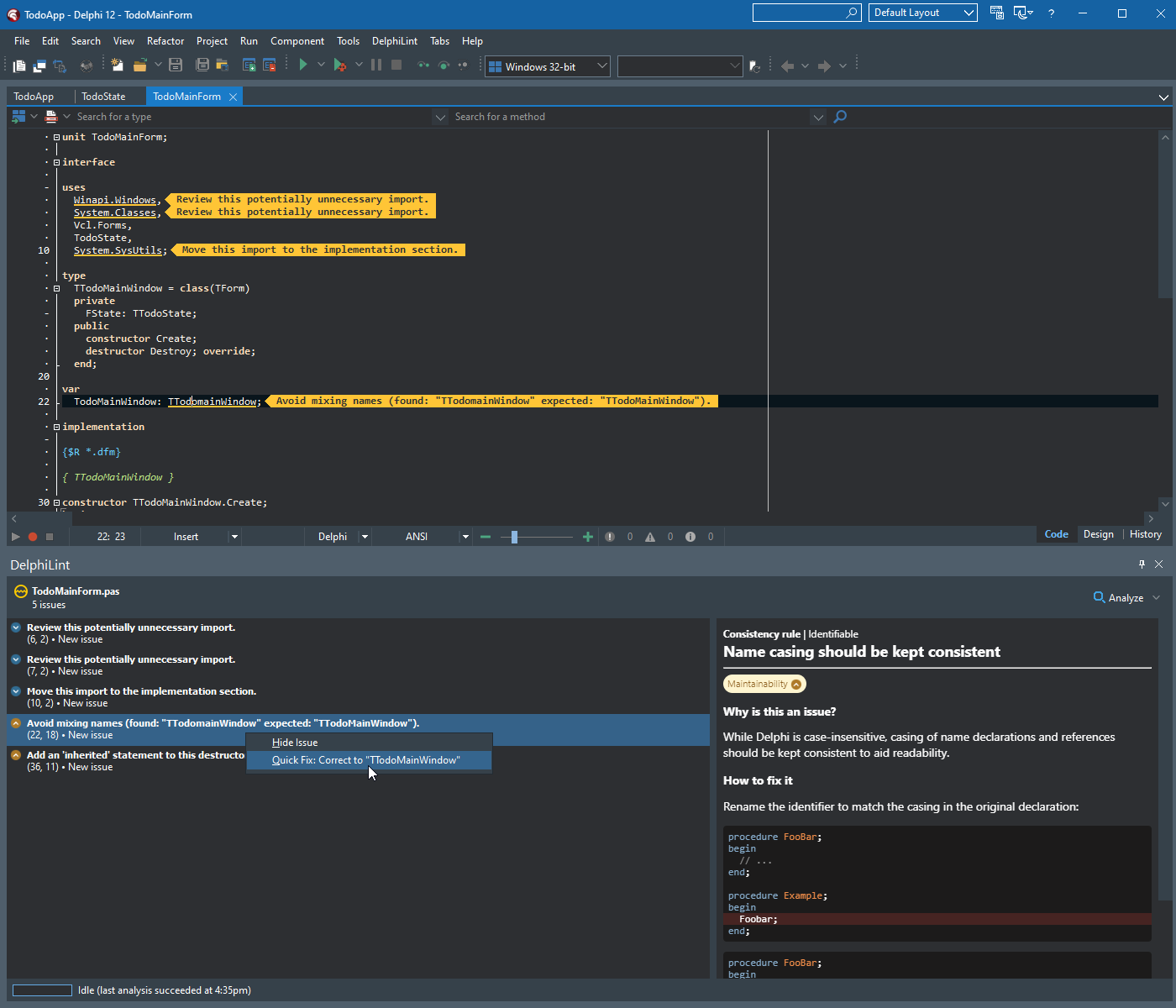
- Detected issues, along with descriptions and rationale, displayed inline in the IDE
- Automated quick fixes for common issues, available via right click
- Two analysis modes:
- Standalone - run analyses entirely locally
- No external servers or other tools required
- Apply a default ruleset of commonly accepted Delphi rules, or pick and choose your desired coding style from the full list of SonarDelphi rules
- Connected - connect to a SonarQube instance, allowing for
- Fetching of active rules and configuration from the server's configured quality profiles
- Suppression of issues that have been resolved in past analyses
- Usage of the server's version of SonarDelphi
- Standalone - run analyses entirely locally
- Support for reading standard
sonar-project.propertiesfiles, providing additional configuration - A Visual Studio Code companion extension that can be used to run analyses and show results in VS Code itself
Installation
System requirements:
- Microsoft Edge 79.0.309+
- Delphi 11+
- Java 11+
Installation steps:
- Download the packaged zip for your Delphi version from the latest release, or build from source.
- Unzip the folder and run the included
install.batscript. - Done!
[!NOTE] Using the precompiled BPLs in different minor versions from which they were compiled can cause compatibility problems in some circumstances. If you encounter issues, please build from source.
Installing the VS Code companion
- Download the .vsix extension file from the latest release, or build from source.
- Run
code --install-extension <vsix>to install the extension.
[!IMPORTANT] For the companion to work, a DelphiLint installation of the same version must be installed.
The VS Code companion is not required for the Delphi IDE plugin to function.
Usage
To analyze a file:
- Open a Delphi project in the IDE.
- Open the Delphi source file you want to analyze.
- Click the
DelphiLint > Analyze This Filemenu option.
It's as easy as that! The DelphiLint window will then pop up, showing the current state of analysis and any issues that are raised. Please note that when the file has a lot of imports the analysis could take thirty seconds or so.
- To analyze all files that are open in the IDE, use
DelphiLint > Analyze All Open Files. - To clear a file of its analysis history, use
DelphiLint > Clear Active File. - To apply quick fixes for an issue, right click the issue range in the editor window or the issue item in the DelphiLint window, then select the quick fix. (Note that not all issues may have quick fixes available.)
For more information:
- See Configuration for details on project configuration settings.
- See the FAQ for answers to common questions and problems.
Gallery
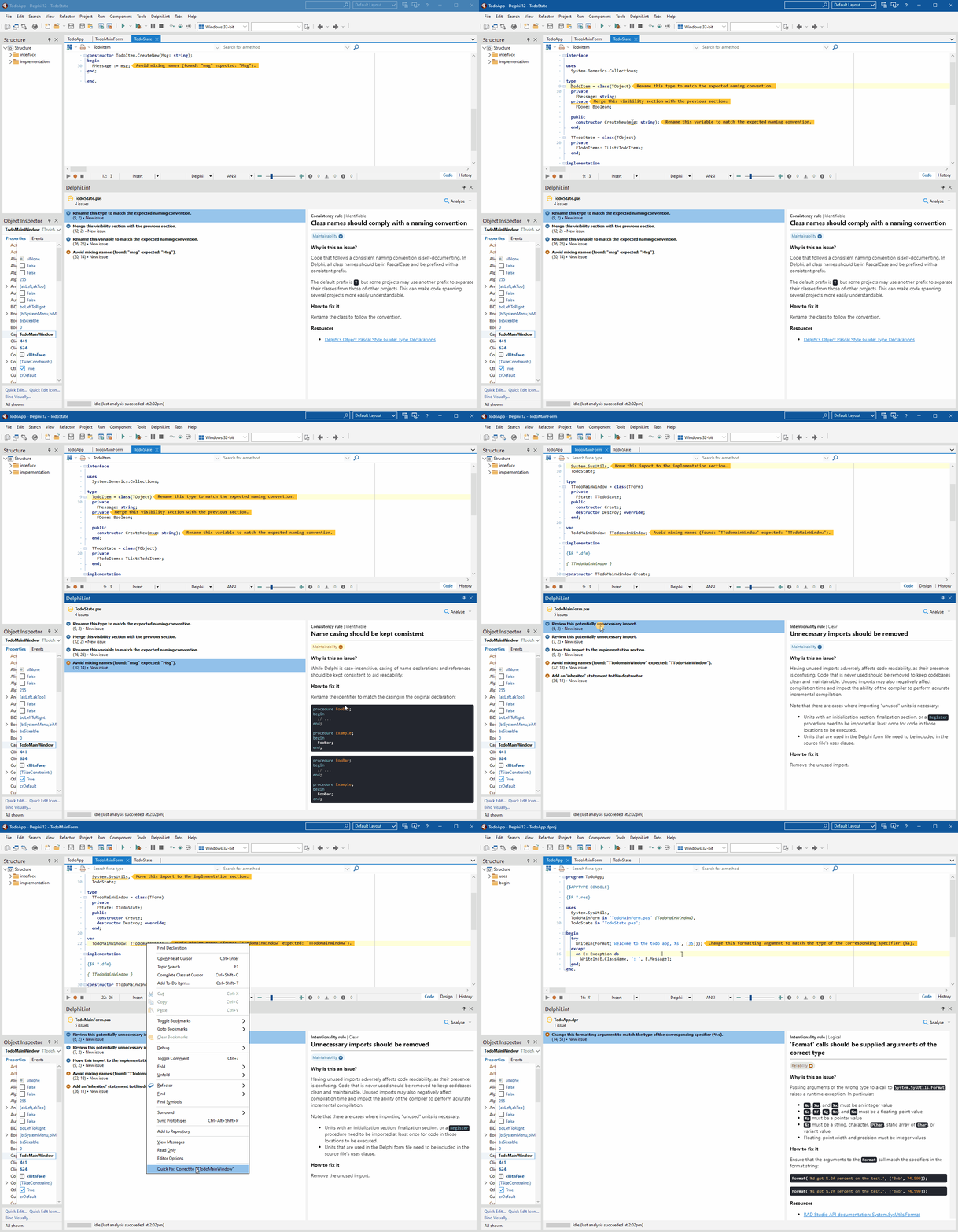 |
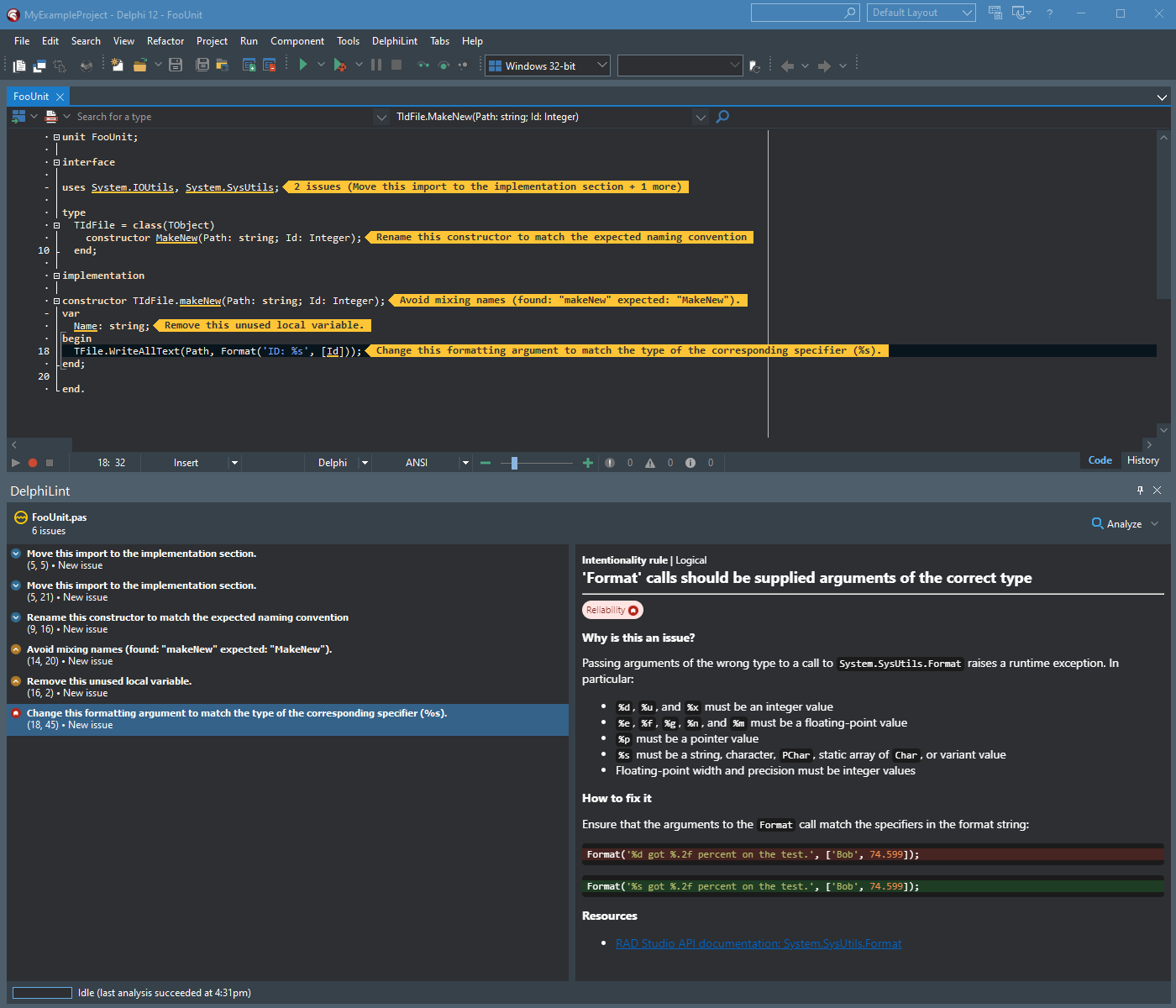 |
|---|---|
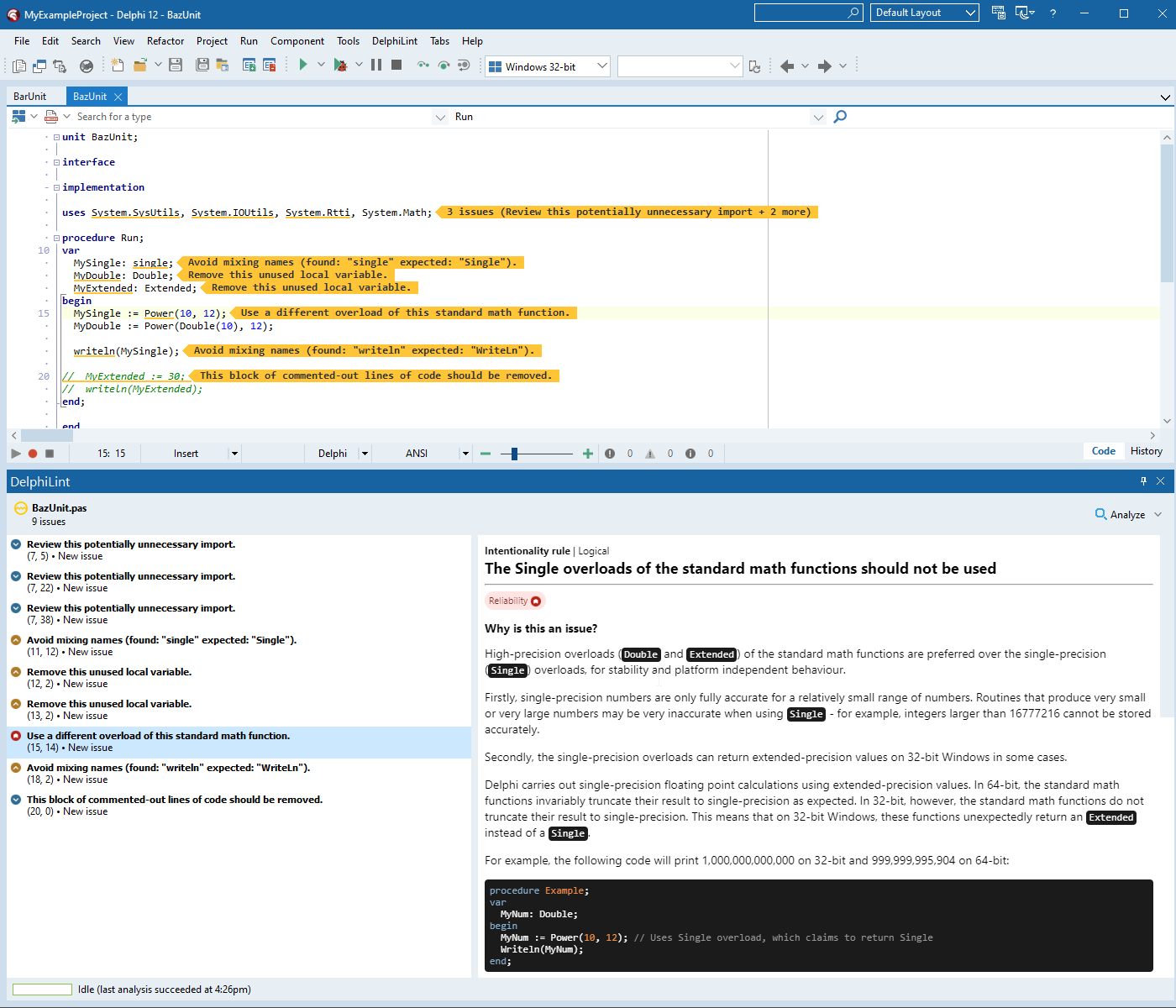 |
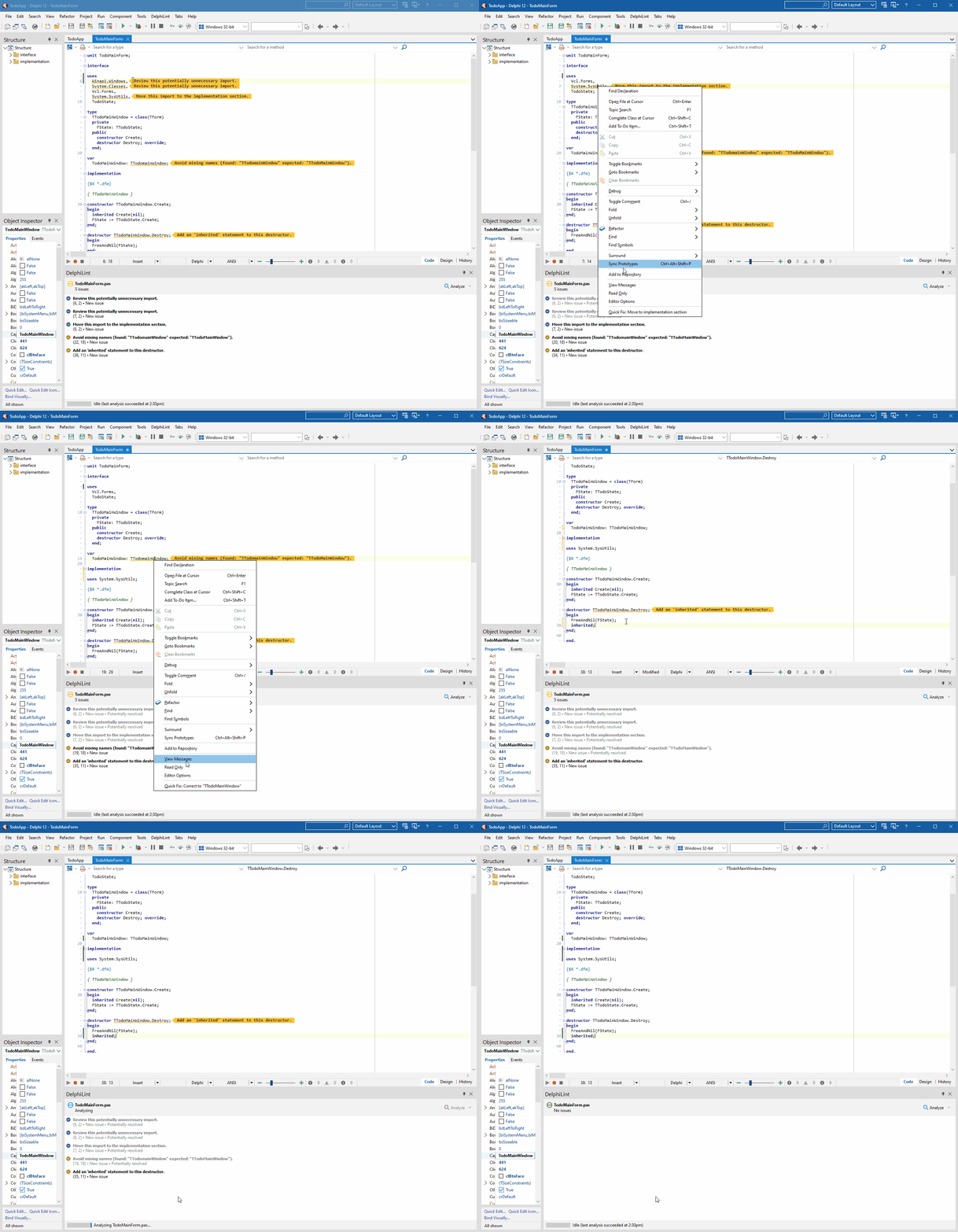 |
 |
 |
Building from source
Prerequisites:
- Delphi 11+
- JDK 11+
- Maven 3.5+
- npm
- Microsoft Edge 79.0.309+
- PowerShell execution policy set to
Unrestricted(see MSDN)
To build DelphiLint, use scripts/build.ps1:
scripts/build.ps1 280to build for Delphi 11 Alexandriascripts/build.ps1 290to build for Delphi 12 Athens
This creates a target/DelphiLint-<version>- folder containing all built artifacts.
[!NOTE]
build.ps1looks for a Delphi installation in the default location for the given version. If your installation is elsewhere, supply the location as part of the version parameter, e.g.scripts/build.ps1 280=/my/custom/location.
Contributing
DelphiLint is open for contributions - please read the contributing guide for more information.
License
Licensed under the GNU Lesser General Public License, Version 3.0.


