
claude-vs-ext-web — Web-Based Claude Code
A standalone web interface for Claude Code that runs in any modern browser. claude-vs-ext-web reuses the official VSCode Claude Code extension's React chat UI through a custom shim layer, with a Node.js backend managing claude processes via WebSocket.
Screenshots
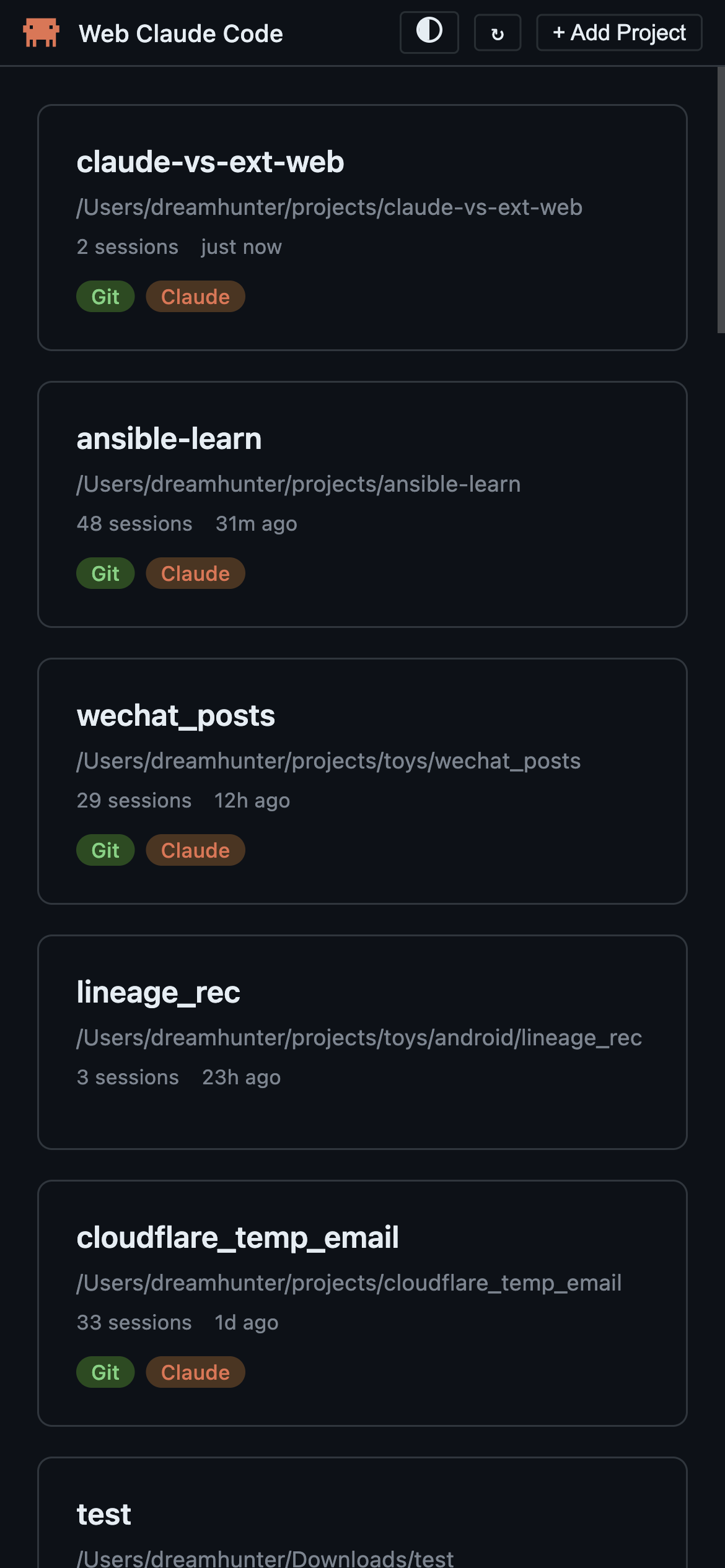 |
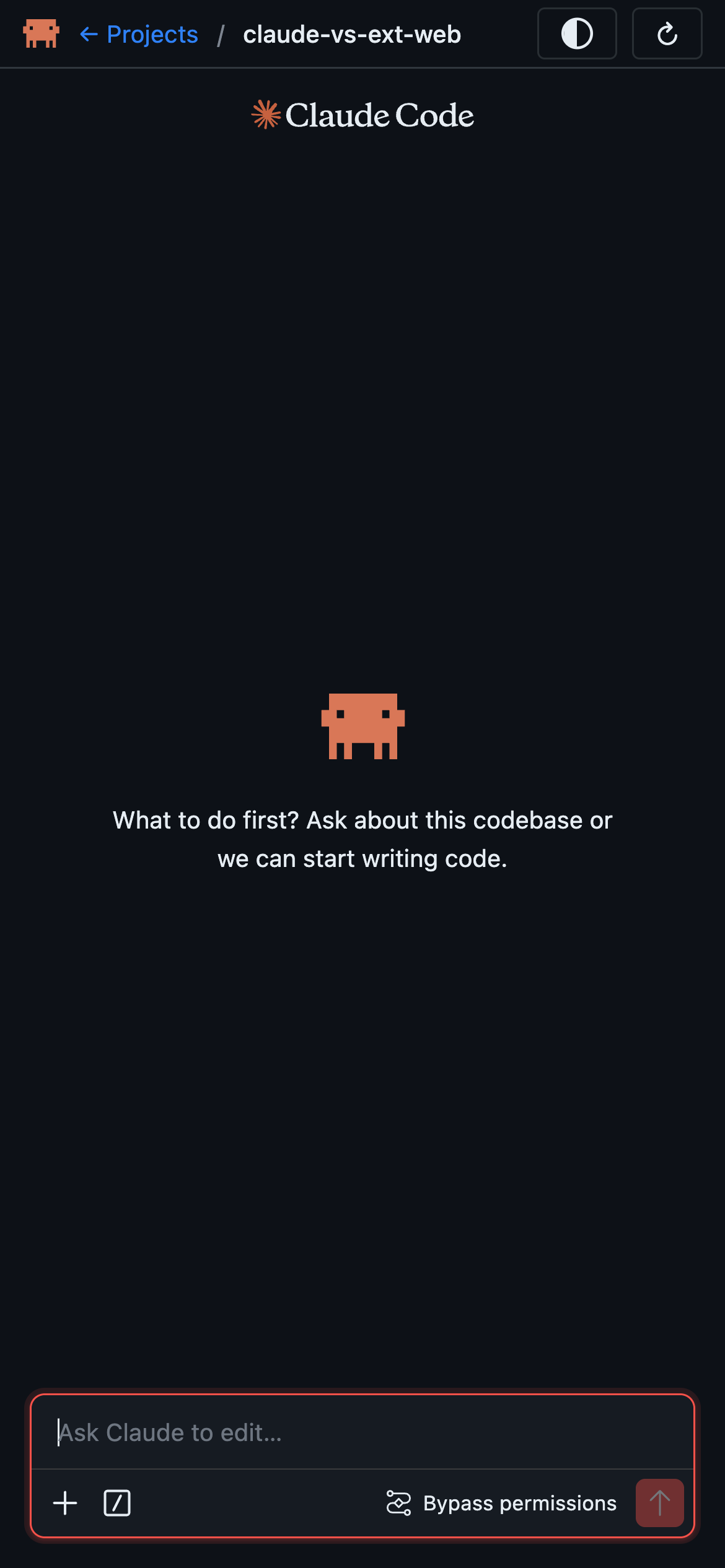 |
How It Works
graph TB
    subgraph Browser
        A[VSCode Extension Webview<br/>React, unmodified]
        B[shim.js<br/>replaces acquireVsCodeApi with WS]
        A --> B
    end

    subgraph "Node.js Server"
        C[Express + WebSocket Server]
        D[Routes API]
        E[Message Handler]
        F[Session Manager]
        G[claude binary<br/>stream-json protocol]

        C --> D
        C --> E
        E --> F
        F -->|stdin/stdout| G
    end

    B -->|WebSocket /ws| C
Key Insight: Instead of rebuilding the chat UI from scratch, claude-vs-ext-web serves the extension's original webview files and injects a shim that replaces VSCode's acquireVsCodeApi() with a WebSocket bridge. The extension's React app works unmodified in the browser.
Features
- Full Claude Code Chat UI — The same React-based interface from the VSCode extension
- Project Discovery — Auto-discovers projects from
~/.claude/projects/session history - Session Resume — Resume previous conversations from saved history
- Permission Control — Tool permission request/response flow with user approval
- Model Selection — Switch between Claude models (Sonnet, Opus, etc.)
- Theme Switching — GitHub Dark / GitHub Light themes, persisted in localStorage
- Multi-Session — Each project gets its own isolated
claudeprocess - Auto-Reconnect — WebSocket reconnects automatically on disconnect (2s delay)
- Slash Commands — Extension slash commands work via direct input
Prerequisites
- Node.js 18+ or Bun 1.0+
- VSCode Claude Code Extension — Extracted into
vendor/claude-code/ - Platform Support:
- Windows — Uses
claude.exe - macOS — Uses
claudebinary - Linux — Uses
claudebinary
- Windows — Uses
Quick Start
If your claude binary requires environment variables (e.g., custom API endpoint), set them before starting the server. These variables will be inherited by the spawned claude processes.
export ANTHROPIC_BASE_URL="https://your-api-endpoint.com"
export ANTHROPIC_AUTH_TOKEN="your-token"
# 1. Install dependencies
bun install

# 2. Set up the vendor directory (see below)
# 3. Start the dev server
bun run dev

# 4. Open http://localhost:7860
Vendor Setup
Extract the VSCode Claude Code extension into vendor/claude-code/:
Option 1: From installed extension
Windows:
# List available versions and copy the latest one
dir "%USERPROFILE%\.vscode\extensions\anthropic.claude-code-*"
xcopy /E /I "%USERPROFILE%\.vscode\extensions\anthropic.claude-code-<VERSION>" vendor\claude-code\
macOS / Linux:
# List available versions and copy the latest one
ls -d ~/.vscode/extensions/anthropic.claude-code-*
cp -r ~/.vscode/extensions/anthropic.claude-code-<VERSION> vendor/claude-code/
Replace
<VERSION>with the latest version directory (e.g.,2.1.86-darwin-arm64).
Option 2: Download VSIX directly from VSCode
In VSCode extensions panel, right-click on Claude Code extension and select Download Specific Version VSIX...:
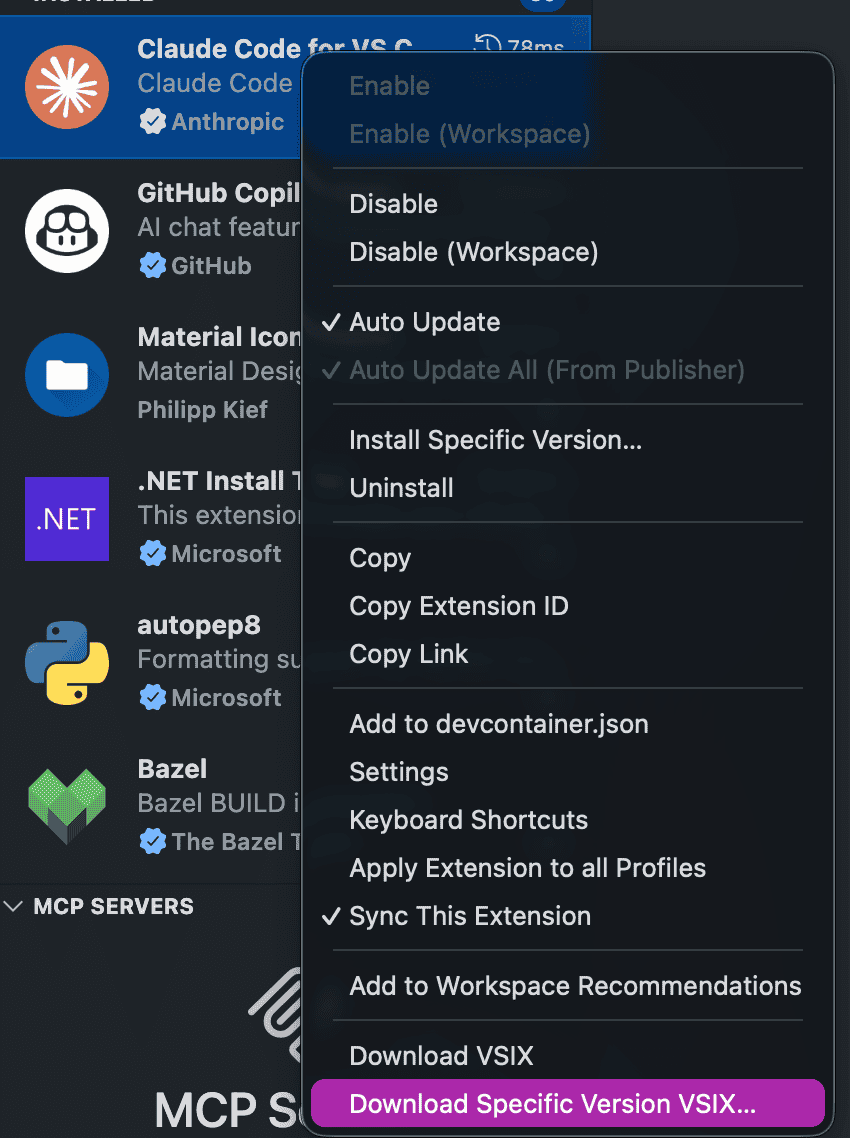
Then extract the downloaded .vsix file:
# Extract .vsix (it's a zip file)
unzip claude-code.vsix -d temp-extract
mv temp-extract/extension/* vendor/claude-code/
rm -rf temp-extract
Option 3: From .vsix file
# Extract .vsix (it's a zip file)
unzip claude-code.vsix -d temp-extract
mv temp-extract/extension/* vendor/claude-code/
rm -rf temp-extract
Updating the vendor directory:
# Remove old vendor and copy the new version
rm -rf vendor/claude-code
cp -r ~/.vscode/extensions/anthropic.claude-code-<VERSION> vendor/claude-code/
# Verify the version
grep '"version"' vendor/claude-code/package.json
Required files: webview/, resources/native-binary/, package.json
Commands
| Command | Description |
|---|---|
bun run dev |
Start with hot reload (bun --watch) |
bun run build |
Compile TypeScript to dist/ |
bun run start |
Run compiled server |
Configuration
config.json (auto-created if missing):
{
  "port": 7860,
  "projects": {
    "roots": [],
    "manual": [],
    "scanDepth": 1
  },
  "defaults": {
    "permissionMode": "bypassPermissions",
    "model": "claude-opus-4-6[1m]"
  }
}
| Field | Description |
|---|---|
port |
Server port (default: 7860) |
projects.roots |
Directories to scan for projects (not implemented yet) |
projects.manual |
Manually added project paths |
projects.scanDepth |
Recursion depth when scanning roots (not implemented yet) |
defaults.permissionMode |
default / bypassPermissions / always-ask |
defaults.model |
Default Claude model (e.g., claude-opus-4-6[1m]) |
Project Structure
src/
├── server/
│   ├── index.ts            # Express app, WebSocket, HTTP routes
│   ├── session-manager.ts  # Session lifecycle, claude process management
│   ├── message-handler.ts  # WebSocket message routing & response building
│   ├── claude-process.ts   # Spawns claude binary, parses stream-json stdout
│   ├── config.ts           # Config loading, vendor path resolution
│   └── routes.ts           # REST API (/api/projects, /api/config)
└── client/
    ├── shim.js             # WebSocket bridge replacing VSCode API
    ├── host.html           # Chat page template (server injects vars)
    ├── css-variables.css   # 239 --vscode-* CSS variables for theming
    └── project-list/       # Project selection page (vanilla JS)
Protocol Overview
WebSocket Messages
Browser → Server:
{ "type": "launch_claude", "channelId": "uuid", "cwd": "/path", "model": "sonnet" }
{ "type": "io_message", "channelId": "uuid", "message": { "type": "user", ... } }
{ "type": "request", "channelId": "uuid", "requestId": "uuid", "request": { "type": "init" } }
Server → Browser (always wrapped):
{ "type": "from-extension", "message": { "type": "io_message", "channelId": "uuid", ... } }
Claude Binary Communication
The server communicates with the claude binary via stdin/stdout using newline-delimited JSON (stream-json format). Key flows:
- Initialize — Server sends
control_request{subtype:"initialize"}, receives config (models, commands, agents) - Chat — User messages forwarded as
io_message, responses streamed back - Permissions —
tool_permission_requestfrom claude → transformed → webview → user approves →tool_permission_response→ back to claude - Interrupt —
control_request{subtype:"interrupt"}sent to stop generation
Known Limitations
- No SSL/TLS — HTTP/WS only, not suitable for remote deployment without a reverse proxy
- No file operations — File open/diff commands are stubbed
- No terminal integration — Terminal commands return null
- No MCP servers — MCP server list returns empty stubs
- Slash command autocomplete — Works with direct input only, not the
/menu dropdown
Troubleshooting
Port already in use
# Find and kill the process on port 7860 (Windows)
netstat -ano | grep ":7860 " | grep LISTENING
taskkill //PID <pid> //F
Webview crashes on load
Ensure claudeSettings.effective.permissions is present in the init response. The webview uses claudeSettings?.effective.permissions (non-optional .permissions), so a missing effective field will crash it.
Uncaught (in promise) errors in console
These are normal — they come from the extension webview's internal promise handling and don't affect functionality.
License
MIT


