
📊 Jenkins + SonarQube Code Analysis for Node.js
This guide walks you through setting up Jenkins and SonarQube using Docker Compose to run code analysis on a Node.js application.
✅ Local setup — no external services required.
🧰 Requirements
- Docker
- Any Git repository (e.g. MatheusIshiyama Repos)
🐳 Jenkins & SonarQube with Docker Compose
Create a docker-compose.yml in an empty folder:
version: '3'
services:
  sonarqube:
    image: sonarqube:lts
    ports:
      - 9000:9000
    networks:
      - mynetwork
  jenkins:
    image: jenkins/jenkins:lts
    ports:
      - 8080:8080
    networks:
      - mynetwork
networks:
  mynetwork:
Run with:
docker compose up
🔧 Jenkins Setup
1. Access Jenkins
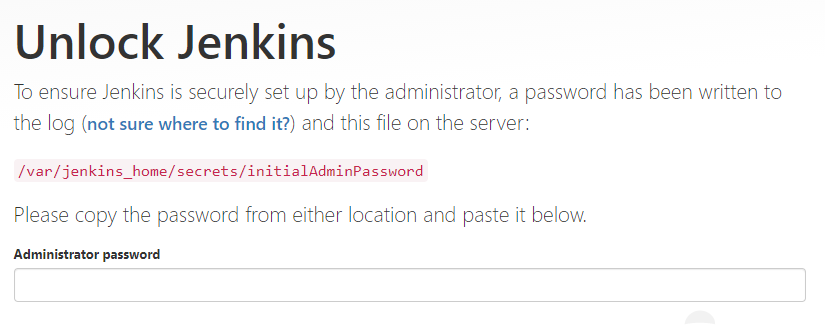
- Go to
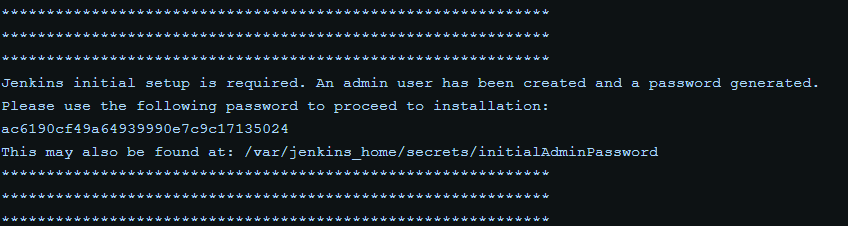
http://localhost:8080 - Use the unlock token from your terminal output
2. Install Plugins
-
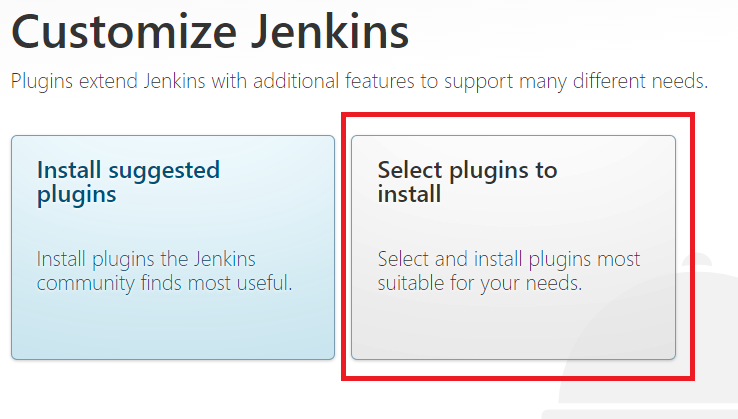
Click "Select plugins to install"
-
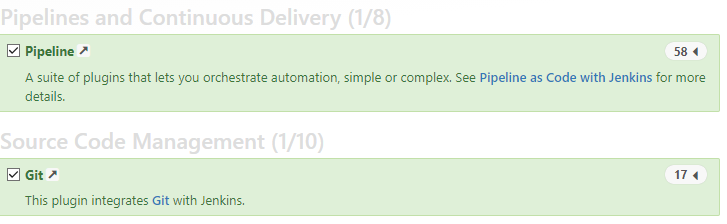
Click "None", then search and select:
gitpipeline

3. Finalize Setup
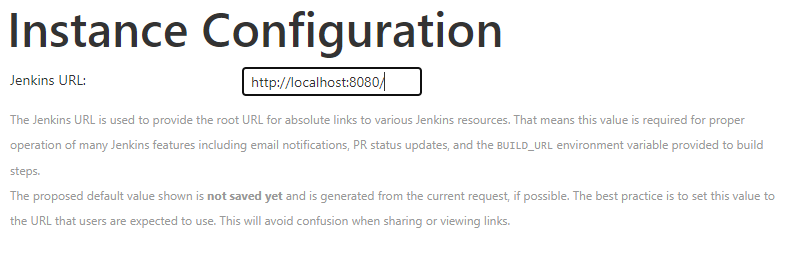
- Set Jenkins URL:
http://localhost:8080
🔐 SonarQube Setup
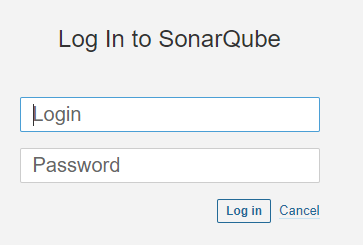
- Visit
http://localhost:9000 - Login:
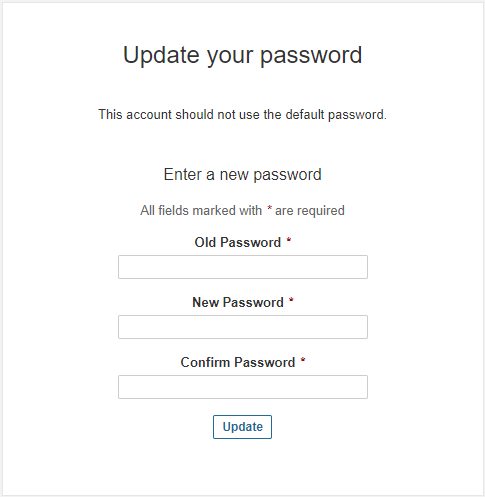
admin| Password:admin - Change password after first login
🔄 Add SonarQube to Jenkins
1. Install Plugins
-
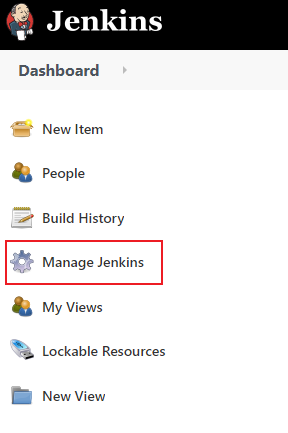
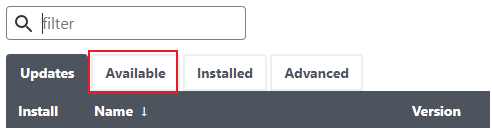
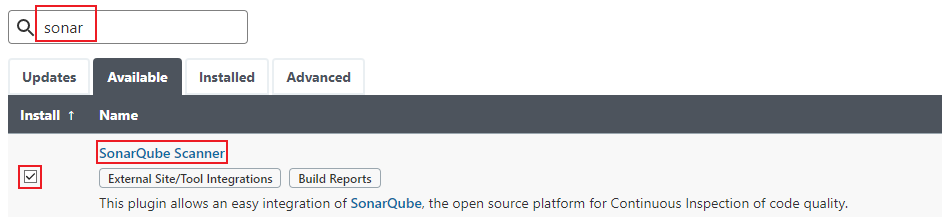
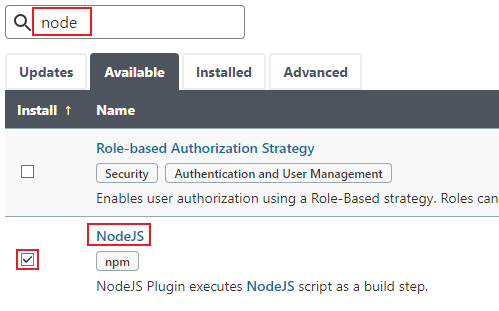
Go to Manage Jenkins > Manage Plugins > Available
-
Install:
SonarQube ScannerNodeJS Plugin


2. Configure SonarQube
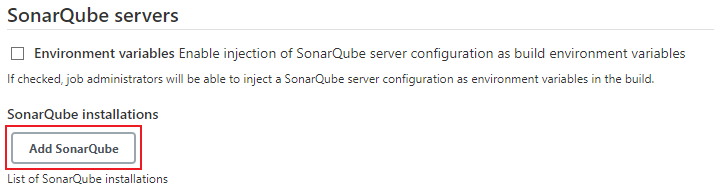
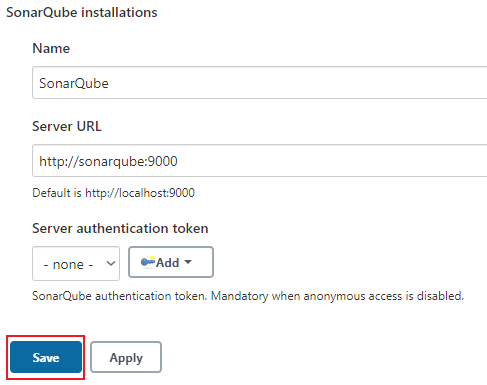
- Manage Jenkins > Configure System
- Scroll to SonarQube Servers
- Add name:
SonarQube, URL:http://sonarqube:9000
3. Setup Tools
-
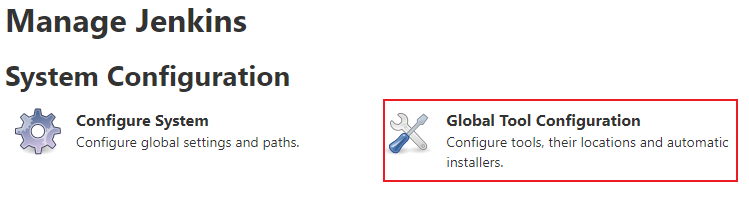
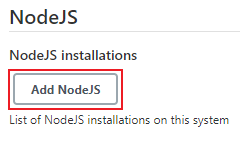
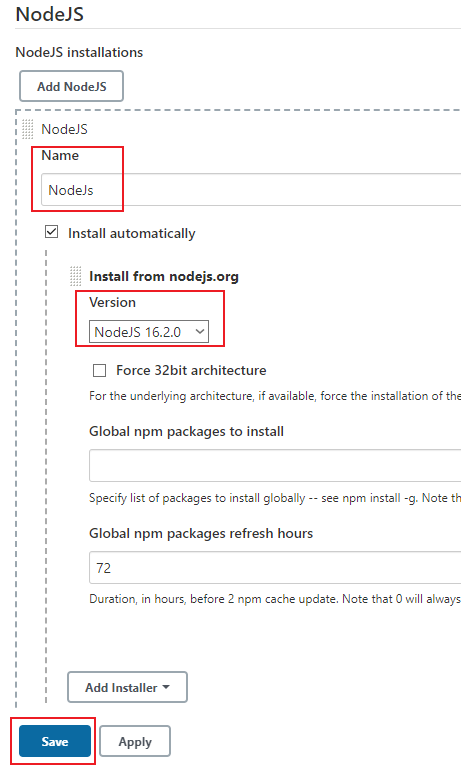
Manage Jenkins > Global Tool Configuration
-
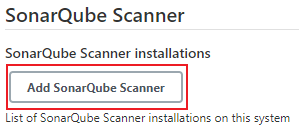
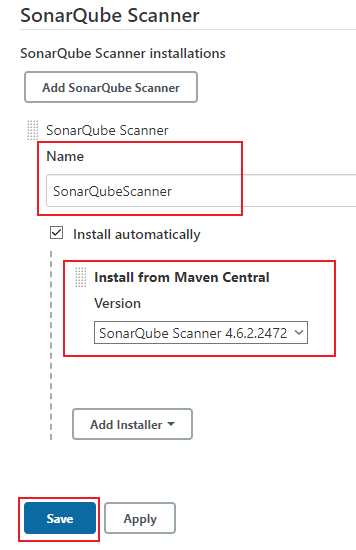
Add:
- SonarQube Scanner (
SonarQubeScanner) - Node.js (
NodeJs)
- SonarQube Scanner (
↔️ Add Jenkins to SonarQube
-
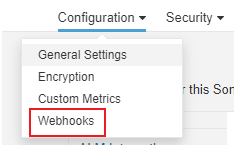
In SonarQube go to: Administration > Configuration > Webhooks
-
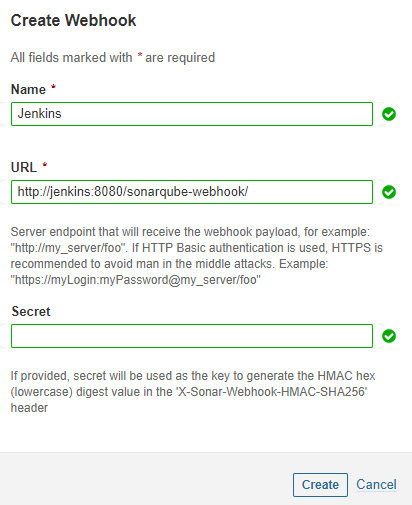
Create a webhook:
- Name:
Jenkins - URL:
http://jenkins:8080/sonarqube-webhook/
- Name:


⚙️ Add sonar-project.properties
In your Node.js app root:
sonar.projectKey=your-application
sonar.projectName=Your Application
sonar.sources=.
sonar.sourceEncoding=UTF-8
sonar.scm.disabled=true
🛠️ Create a Jenkins Job
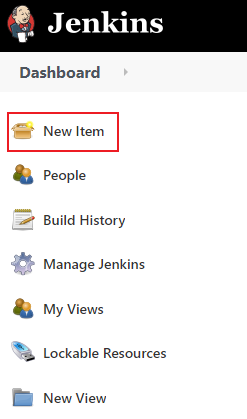
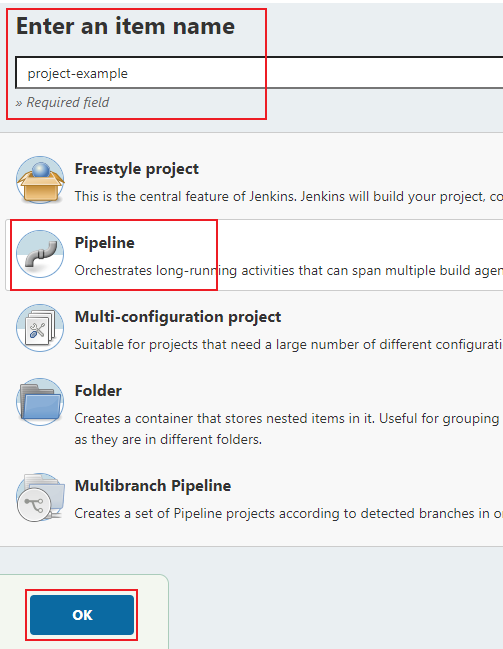
1. New Job
- Click New Item → Name it → Select Pipeline → OK
2. Pipeline Script
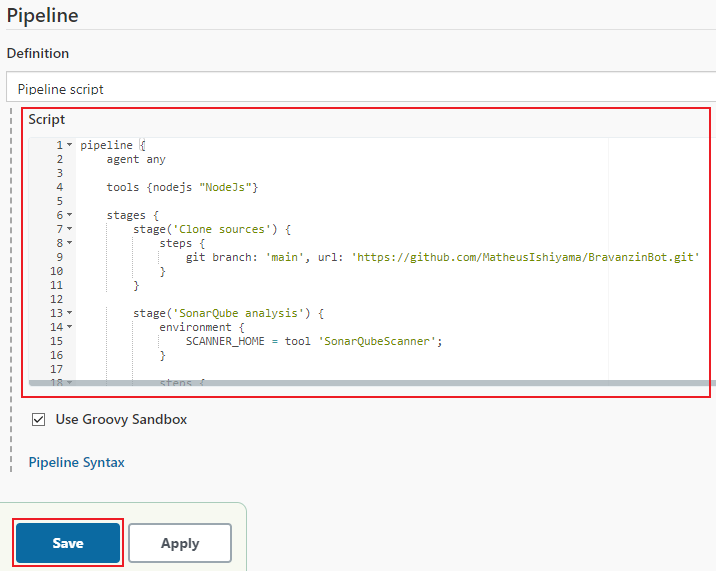
Paste the following:
pipeline {
  agent any

  tools { nodejs "NodeJs" }

  stages {
    stage('Clone sources') {
      steps {
        git branch: 'main', url: 'https://github.com/MatheusIshiyama/BravanzinBot.git'
      }
    }

    stage('SonarQube analysis') {
      environment {
        SCANNER_HOME = tool 'SonarQubeScanner'
      }
      steps {
        withSonarQubeEnv('SonarQube') {
          sh "${SCANNER_HOME}/bin/sonar-scanner"
        }
      }
    }
  }
}
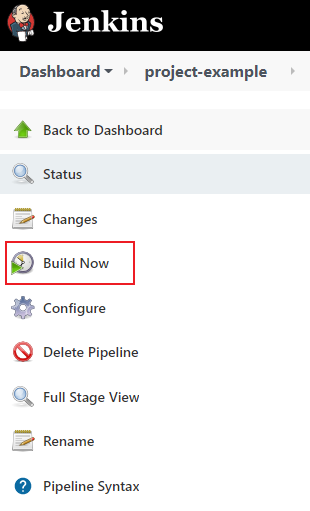
Click Save, then Build Now.
🔑 SonarQube Token for Jenkins
1. Generate Token in SonarQube
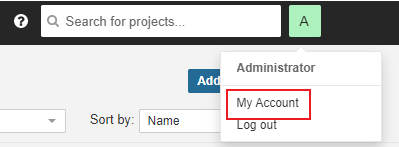
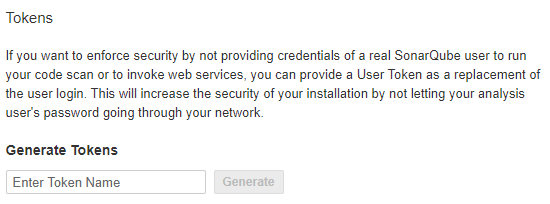
- Go to your profile → My Account > Security
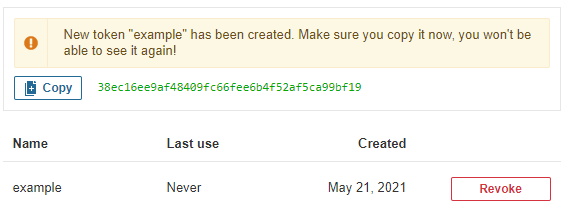
- Create token (e.g. name:
sonarqube-token)

2. Add Token in Jenkins
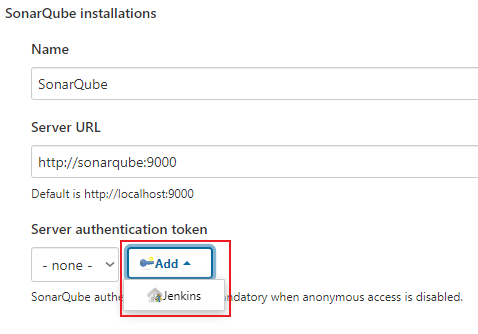
- Manage Jenkins > Configure System
- In SonarQube Servers, click
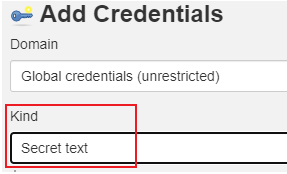
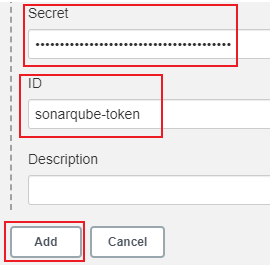
Addunder Authentication - Select
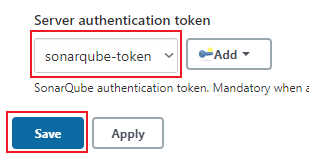
Secret text→ paste token → set ID (e.g.sonarqube-token) - Choose that ID in Server authentication token
✅ Your Jenkins pipeline now integrates with SonarQube to analyze your Node.js code!


