
ft2-clone
Fasttracker II clone for Windows/macOS/Linux
Aims to be a highly accurate clone of the classic Fasttracker II software for MS-DOS.
The XM player itself has been directly ported from the original source code, for maximum accuracy.
The code is partly my own, partly based on the original FT2 code.
What is Fasttracker II? Read about it on Wikipedia.
Releases
Windows/macOS binary releases can always be found at 16-bits.org.
Linux binaries can be found here.
If these don't work for you, you'll have to compile the code manually.
Improvements over original DOS version
- New sample editor features, like waveform generators and resonant filters
- The channel resampler/mixer uses floating-point arithmetics for less errors, and has extra interpolation options (4-point cubic spline and 8-point/16-point windowed-sinc)
- The sample loader supports AIFF/FLAC/OGG/MP3/BRR (SNES) samples and more WAV types than original FT2. It will also attempt to tune the sample (finetune and rel. note) to its playback frequency on load.
- It contains a new "Trim" feature, which will remove unused stuff to potentially make the module smaller
- Drag n' drop of modules/samples
- The waveform display in the sample editor shows peak based data when zoomed out
- Textboxes have a text marking option, where you can cut/copy/paste
- MOD/STM/S3M import has been slightly improved (S3M import is still not ideal, as it's not compatible with XM)
- Supports loading DIGI Booster (non-Pro) modules
- Supports loading Impulse Tracker modules (Awful support! Don't use this for playback)
- It supports loading XMs with stereo samples, uneven amount of channels, more than 32 channels, more than 16 samples per instrument, more than 128 patterns etc. The unsupported data will be mixed to mono/truncated.
- It has some small additions to make life easier (C4/middle-C Hz display in Instr. Ed., envelope point coordinate display, etc).
Screenshots
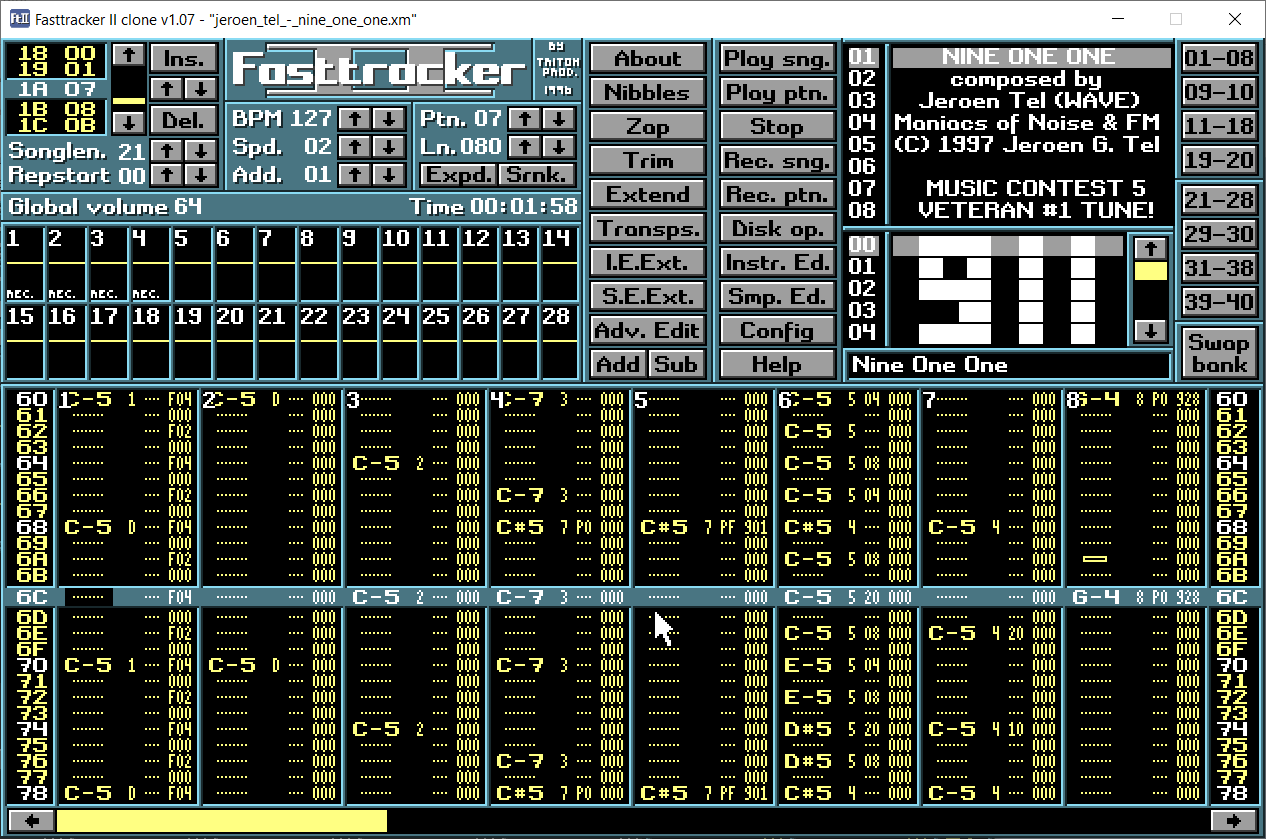
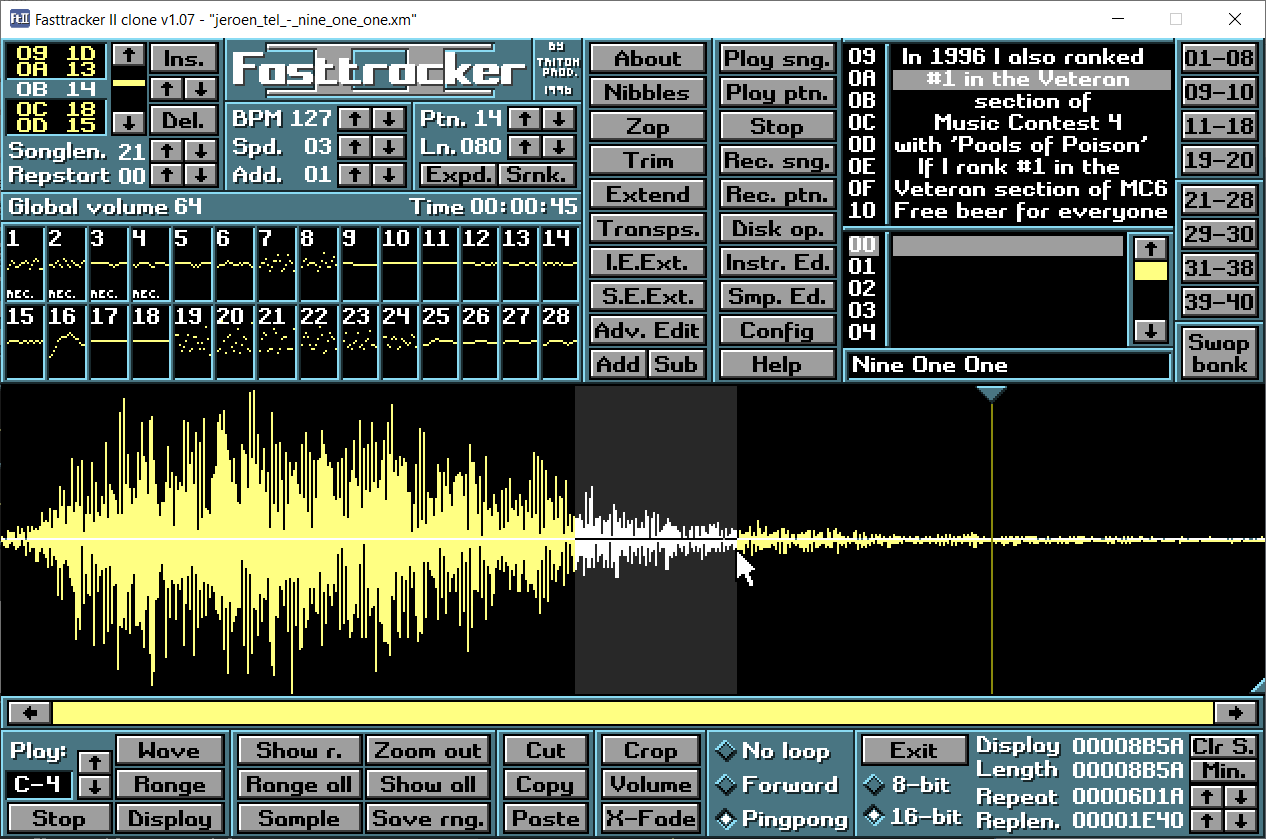
Compiling the code
Build instructions can be found in the repository (HOW-TO-COMPILE.txt).
Keep in mind that the program may fail to compile on Linux, depending on your distribution and GCC version.
Please don't nag me about it, and try to use the Linux packages linked to from 16-bits.org instead.
PS: The source code is quite hackish and hardcoded.
My first priority is to make an accurate clone, and not to make flexible and easily modifiable code.
Big parts of the code (except GUI) are directly ported from the original FT2 source code, with permission to use a BSD 3-Clause license.


